.png)


 Chat with us now!
 Send Email!

Dependent care benefits on W2 are the amounts your employer paid, reimbursed, or set aside pre-tax to help you cover care for a child or dependent while you work.
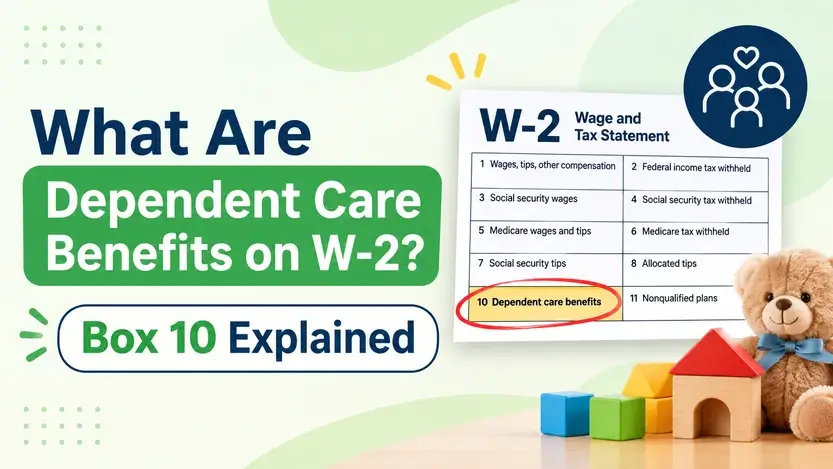
You will find the number in box 10 of the W2 form. Although this amount is not taxable, how you declare it while filing your taxes changes.
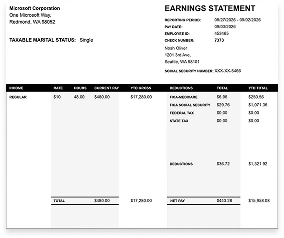
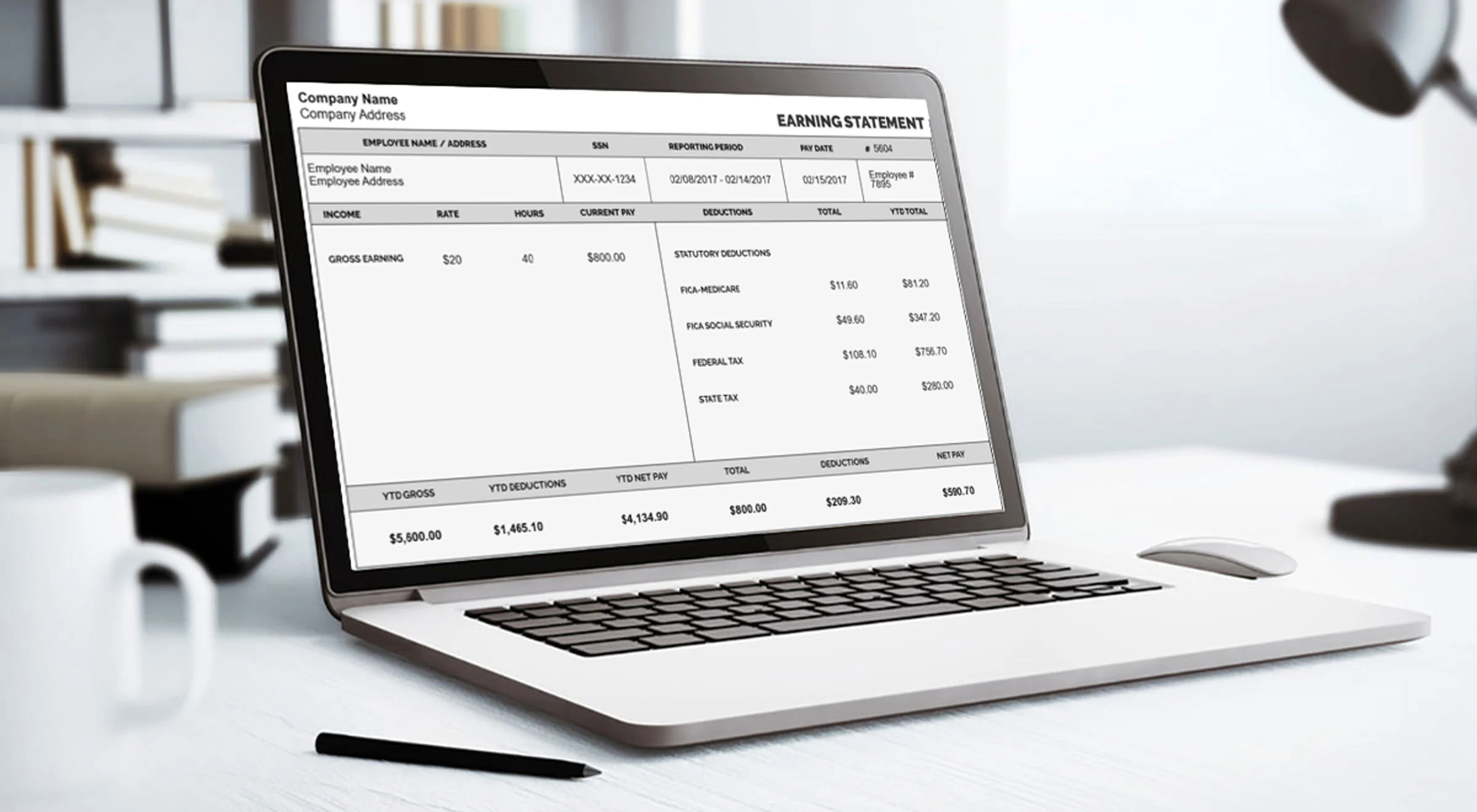
It may be possible that you opened your W2 and found a number in box 10 that you do not remember earning. This article talks about how the amount comes into existence, how the limit for it works, at which point it becomes taxable, and which form you should use for reporting it. Your check stubs will help you verify the amount before you file.
What Does W2 Stand For?
W2 indicates a pay and tax report. January has your employer sending this form to you and to the Social Security Administration. It outlines money received by you as income and the amount that was taken away as taxes.
The form may also include some payments received in various forms, such as childcare benefits, which are recorded by the employer and shown as pay received by you.
What Are Dependent Care Benefits on W-2?
Dependent care benefits on W2 refers to the financial assistance given by an employer to help in taking care of those people whom one can’t leave alone while working, e.g., a child under 13 years old. However, dependent care will include taking care of any dependent people who need help. Many people look for it in the form of “dependent care benefits,” i.e., they may spell the word differently, but the tax box is still the same.
Dependent care is usually received from the employer in the form of a dependent care assistance program (DCAP).
- Dependent care FSA: You select an amount during the open enrollment period, with the funds withdrawn from your salary before taxation.
- Direct payments: An employer covers daycare or caregiving costs for you.
- Employer-provided care: A daycare or similar service is reported based on its market value in this option.
The total is reported in Box 10 on W-2, which is why the number may be higher than the amount that actually left your paycheck.
What Is Box 10 on W2?
Box 10 W2 form contains information about dependent care benefits. It does not involve adding the amount in the box to one’s wages. Different people may search Box 10 on their W-2 forms using terms like box 10 W2; box 10 W-2; and W2 line 10.
At times, one can confuse Box 10 with other nearby boxes. For example, Box 5 states the amount of wages and tips one receives, not dependent care. Thus, the primary boxes differ in the following way:
| Box | What it reports |
| Box 1 | Wages, tips, and other pay subject to federal income tax |
| Box 3 | Wages subject to Social Security tax |
| Box 5 | Wages subject to Medicare tax |
| Box 10 | Total dependent care benefits provided by your employer |
If part of your Box 10 amount is taxable, that portion is also added to Boxes 1, 3, and 5. Box 10 itself still shows the full amount.
How Dependent Care Benefits Work?
You select a certain dollar value during the time that you can enroll, and your employer deducts this amount from your salary prior to income tax. Whenever you pay for a service, you submit the receipt to your company and seek reimbursement from the fund. This means that the funds are received tax-free (not subject to income tax, Social Security tax, or medicare tax).
The 2026 Limit
The One Big Beautiful Bill Act has increased the annual exclusion for dependent care assistance starting in the plan year that begins on or after January 1, 2026. It is the first increase in decades and does not include any indexing for inflation.
| Filing status | Through 2025 | 2026 |
| Most filers | $5,000 | $7,500 |
| Married filing separately | $2,500 | $3,750 |
Your employer is not obligated to provide the entire $7,500. The plan documentation determines what the maximum is, and companies raising the cap will have to amend their plan. If your plan had a maximum amount of $5,000 this year, it is the plan’s choice.
Eligible Expenses
The care should allow you (and your spouse) to work or look for work. This is called gainful employment and includes part-time jobs as well as self-employment. Expenses that usually qualify include:
- Day care, nursery, and preschool
- Before-and-after-school programs
- Summer camps
- Nanny, babysitter, or au pair
- Adult day care for a spouse or parent
- Tuition, tutoring costs, food, and clothes for kindergarten or higher do not qualify.
Who Is a Qualifying Person
A qualifying person is your child under 13, or a spouse or dependent who can’t care for themselves and lived with you for more than half the year. You also can’t pay for your own child under 19 or your spouse and count it as eligible care.
Are Dependent Care Benefits on W2 Taxable?
Not automatically. Dependent care benefits that have been reported on the W-2 form don’t incur any taxation until set limits are breached, which will be equal to $7,500 for the year 2026 or $3,750 if married using the married filing separately status. In three cases, however, such benefits will become taxable:
- Exceeding limits. This can happen if your plan has offered a higher limit in the plan or if benefits were received from two different employers during one tax year.
- Exemption limit exceeds income. Under the Tax Code, dependent care benefits cannot exceed earned income, including that of the lower-earning spouse if any.
- Care has not met the necessary requirements. Any reimbursement of expenses that does not conform to the tax norms will have no exemption related to it.
Let us consider one straightforward scenario. Assume that Box 10 reveals the sum total of $8,000, while your permissible limit stands at $7,500. The difference of 500 is considered in come for taxation purposes and is counted in Boxes1,3,and 5.The information displayed in Box 10 remains unchanged (8,000).
Unused funds are considered separately from other issues. Money put into dependent care FSA accounts has to be spent before the end of the tax year, and any amounts that have not been used have to be given up instead of being taxed. Some plans permit an additional period of up to two and a half months after the end of the tax year for expenditures to take place, although this is entirely optional.
W2 Dependent Care Benefits but No Dependents
Having dependent care benefits show up in your W2 when you don’t recall claiming any dependents can be puzzling, so make sure to check for the following:
- A spouse or parent who resides with you and is incapable of caring for themselves is also a qualifying person under the law.
- Services provided in the prior part of the year. For example, your child turned 13 years of age in the second half of the year, or there was a change in your situation after you enrolled.
- An error on the payroll. The mistake could be due to a benefit deduction that continues after the benefit is no longer being used, or a benefit election that wasn’t canceled.
You can find the source of the problem by comparing W-2 Box 10 with the dependent care tax credit on your pay stubs. If there’s a difference in the figures or you didn’t make a benefits election, ask your employer or the benefits administrator to fix the mistake and submit a corrected W-2c.
How to Report Box 10 on Your Tax Return
If Box 10 of your W2 shows an amount, then you need to submit Form 2441, Child and Dependent Care Expenses. The information on this form is used to answer one of the most asked questions: which form the dependent care benefits need to be reported. Part III of this form deals with the benefits from the employer, and you complete that part before proceeding to Part II.
You will need:
- The Box 10 figure on your W2
- The total expenses for the year
- The income you earned throughout the year and the income your spouse has earned if you file taxes jointly
- The care provider’s ID number
In case the provider hasn’t shared their identification number with you, you will have to fill out Form W-10 to ask for it. Do not forget to keep your receipts and proof of payment, but don’t attach this information to your tax return.
How Box 10 Affects the Dependent Care Credit?
A particular dollar cannot receive two different tax benefits. Dependent care expenses supported with non-taxable benefits cannot also be considered for the credit for child and dependent care. And the maximum amount of whatever was spent, as indicated in Box 10, reduces the limit of the credit amount. The limit is $3,000 if only one person qualifies, and $6,000 if there are two or more persons.
Consider the situation when there is one child and the amount of expenses on care is $6,000, and Box 10 indicates $2,000. In this situation, the limit of $3,000 is going down to $1,000 and only $1,000 will be used for obtaining the credit.
Furthermore, the law adopted in 2025 increased the maximum credit level from 35% to 50%, and this percentage begins to decrease as the income increases. Thus, low- and middle-income people will benefit more from this credit than from FSA, while the wealthier people will gain more from FSA.
Common Mistakes to Avoid
- Skipping Form 2441. If column 10 contains a number, the IRS will require it regardless of whether you qualify for the credit.
- Assuming the full amount is subject to taxation. Only the portion that exceeds the threshold or the portion related to ineligible care is included in your compensation.
- Counting the same costs twice. Care paid for through non-taxable funds cannot be used for the credit.
- Using an outdated threshold. The limit for 2026 is set at $7,500, but your company’s policy may restrict your pay with a lower ceiling.
- Correcting the W-2 on your own. If column 10 contains an error, request a revised W-2c from your employer.
- Forgetting the provider’s details. Absence of the name, address, or TIN may prevent you from receiving the credit.
Final Thought
Form W 2 box 10 provides the answer to just one question: What amount of dependent care benefit did your employer give you this year? Ensure that the total stays below the upper limit of the account, spend it on qualifying expenses, and file Form 2441 in order to take advantage of the taxes excluded by the IRS.
In case your W-2 doesn’t match your records, pay stubs are an excellent place to go back in order to see what went wrong. Check the amount deducted for dependent care on each pay stub with the amount in Box 10 and ask your employer to rectify anything that seems to be incorrect before you file your return.
FAQ's
Are dependent care benefits on W2 taxable?
+
Only income exceeding your yearly threshold is subject to taxation. This threshold is 7,500 in the tax year 2026 (3,750 if you're married and filing separately). The excess amount will be reflected in Part 1, 3, and 5 of your Form 2440.
What form do I use to report dependent care benefits from my W2?
+
You will continue to use Form 2441. In Part III of the form, you will find the explanation of the entry you will find in Box 10, as well as the determination of whether your care costs are eligible for the credit.
Does a dependent care FSA roll over?
+
No, a dependent care FSA cannot transfer its balance into the next year. However, some plans allow you a grace period of up to 2.5 months, but this is subject to your employer's decision.
What if Box 10 is blank but I paid for child care?
+
If your Box 10 is blank, this means your employer has not provided dependent care assistance. However, you are still entitled to claim the child and dependent care credit using out-of-pocket expenses on Form 2441.
What is Box 5 on W2?
+
The 5th Box contains your wages and tips for the purpose of the tax paid under the Medicare tax laws. The amount here may be higher than the one in the statement Box 1 (102) because the things like contributions to the 401(k) plan do not impact the value here.
What is dependent care benefits on W2?
+
This Box reports total contributions made by the employer towards child care or care for other individuals that are dependent on the taxpayer during the time he/she is at work.
What does dependent care benefits mean on W2?
+
It is interesting to note that the values provided here are independent of other income or wages because they are tax-preferred and, thus, tax-friendly, as confirmed by the amounts indicated for taxpayers in the year 2026.