.png)


 Chat with us now!
 Send Email!


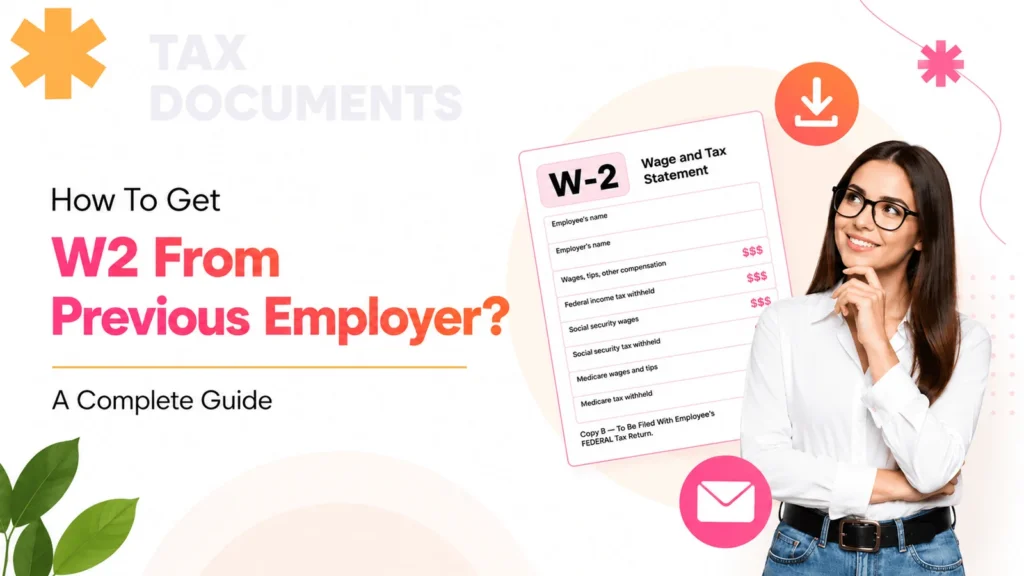
To get a W2 from a previous employer, contact your HR or payroll department, access your employee portal if available, or request a copy from the IRS if you cannot reach the employer.
If you are thinking of switching jobs, then a W2 is a crucial document that employees need to have for tax records during tax season. This blog will guide you through how to get your W2 from previous employer. Another employee document that’s useful is the pay stub, which you can create using the pay stub generator.
If you’re looking to get a W2 form from your previous employer, you will need to reach out to them directly. This is the most basic way to get it, but there are other methods also, which we will be discussing below. In this blog, we will guide how to start the process of obtaining your W2. Whether you need to first contact your former employer’s HR or payroll department, or get it from the IRS.
Why Do You Need To Get a W2 Form?
A W2 is commonly known as a wage and tax statement and is needed for tax filing and to determine if you are eligible for a tax refund. It outlines the money you have received from your job over a year, including details about your total earnings, tax obligations, and benefits. Since the beginning, dated January 31st, employers have been required to send this form.
The W2 offers more than a full summary of your compensation; it details money earned, contributions to your retirement plan such as a 401(k), dependent care benefits, and other employer-provided benefits. It also shows federal income tax withheld, Medicare taxes withheld, and other withholdings. Besides, for loan applications, getting a mortgage, or just verifying your income, you might even be required to provide your W2s or other previous tax returns.
If you are ignoring your W2, you will likely be hearing from the IRS website. Expect to pay some hefty fees and penalties. This single piece of documentation is crucial for an accurate tax return.
Steps on How to Get W2 Form from Previous Employer?
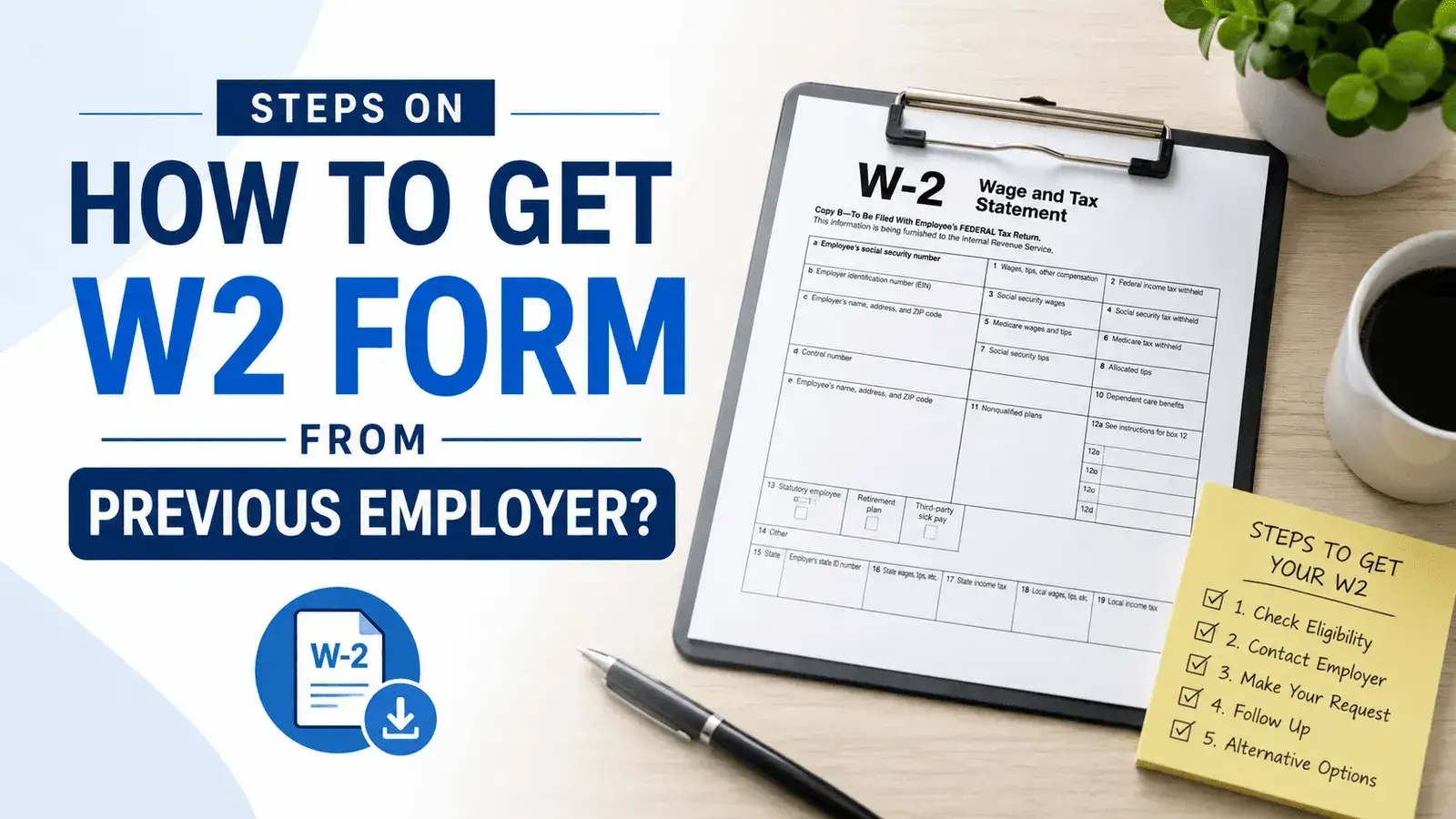
Below, we have curated the steps on how to get your W2 from a previous employer for the past year. Following these steps will make it easier to request your W2 form and ensure you have the necessary documentation for accurate tax filing.
1.Contact the Payroll Department
You can get your W2 tax documents by contacting your previous employer directly, either by calling or emailing the payroll department. This is similar to requesting access to your check stubs. When reaching out, ensure you do not send your request to the incorrect email address or phone number. Employers may hand-deliver or mail your W2 if online access is not available. Make sure to:
- Provide your full name and SSN
- Specify the tax year for which you need a W2 document
- Confirm your mailing address
- Request a replacement copy
You should verify that your employer has your current mailing address, as documents are often sent to the last address on file, which may cause issues if you have moved.
If you are working for a small business owner, this might take longer than usual, so do not hesitate to follow up.
2. Check Online Portal
If you can’t contact your previous HR or payroll department, here is the hack to get the important document.
- Check your mailing address: Employers mail the W2s to the address they have on file. If you moved recently, your W-2 document might have been delivered to your old address. Double-check with family members if your mail was received on your behalf.
- Log in to your employer’s online portal: Many employers now provide paperless tax statements, allowing you to access your W-2 electronically. You may need to log in to a secure online platform, such as ADP or Workday, to download your W-2 form as a secure PDF. Remember your login credentials for these systems to ensure you can access your employee payroll information and tax documents without delay.
3.Contact the IRS for help
If you are unable to get your W-2 or have trouble accessing it; such as being unable to log in to your employer’s portal, not receiving it by mail, or your former employer not responding, you should contact the IRS for assistance.
If you haven’t received your W-2 by mid-February, first reach out to your previous employer’s HR or payroll department to check its status. If you still haven’t received your W-2 by February 15, you can call the IRS at 1-800-829-1040 and request their intervention.
When contacting the IRS, you may need to provide your former employer’s Employer Identification Number (company’s EIN), along with your full name, Social Security number, current mailing address, your employer’s name, address, phone number, and your employment dates. In some cases, IRS fees may be applicable depending on your situation. The Internal Revenue Service will use these details to contact your employer on your behalf and may provide instructions on how to complete your tax return with a substitute form if your W-2 is still missing.
If you still can’t get it! – File your taxes using Form 4852
If your W2 hasn’t arrived yet and the tax deadline, which is April 15, is fast approaching, you’ll have to submit your tax return to prevent fines.
If your former employer is no longer in business or you do not receive your W-2 by February 15, you can still file your taxes using IRS Form 4852 as a substitute for your W2.
If you filed an incorrect W2, then you can go with the 4852.
When using Form 4852, you must accurately report your estimated withholding amounts based on your pay stub, as this information is crucial for correct tax calculations and compliance. Be sure to attach Form 4852 to your tax return if your W2 is missing. If your W-2 is not received by the tax filing deadline, filing with Form 4852 ensures you can still meet your tax obligations.
Alternative Method to Get Your W2 From Former Employer
If you are unable to get your W-2 from your previous employer, there are a few options available to ensure you have the needed documents for timely and accurate tax filing. Your initial option is to ask for an extension by filling out Form 4868, which gives you up to six months more time. However, you may still be required to pay your tax when it is due. The instructions for filing the form can be found on the IRS website. Also, it is a good idea to include the W2s you have received if you have multiple copies.
If your ex-employer’s business is closed, you should complete Form 4852 instead, which serves as a replacement for Form W2. In the meantime, you may refer to the details listed on your final pay stub that comes with the good pay stub template, and then create a stub by using that.
Use it to calculate your salary and tax deductions to fill out the 4852 form accurately. If you cannot get the physical W-2, you can also obtain a transcript of the information reported by your employer to the government through the IRS. Once you have submitted Form 4852, make sure to verify that the figures on both forms correspond.
What Can You Do if You Can’t Get Your W2?
Below is what you can do if you can’t get your W2 form:
- Contact Your Employer First: Confirm your mailing address to ensure your W2 wasn’t sent to the wrong address. Ask for a digital copy, or check if your company provides tax forms via employee portals. Employers are legally required to send W-2 forms by January 31 each year, covering taxable wages paid in the previous calendar year.
- Check for Wrong Information: Review your W-2 for any wrong or inaccurate details. Only your employer or payroll department can correct wrong information on your W-2.
- Check Online Payroll Systems: If your employer uses platforms like Workday, your W2 form may be available there.
- Contact the IRS: If you still do not receive it by February 15, contact the IRS at 1-800-829-1040 and be ready with your employer’s details.
Always keep copies of your pay stubs; they can help you reconstruct your income if your W-2 never arrives.
How To Get Old W2 Online?
To get W2 online, a modern solution is that individuals might forget to check for digital delivery. Your previous employer may have a portal page from which you can get it. Check for emails about tax documents. It is possible to access an old account to download your W-2 form.
Reasons to Retrieve an Old W2 Form
There are various reasons why to retrieve an old W-2 form. Below, we have mentioned the top 3 reasons:
- Applying for Loans: Lenders typically ask for evidence of steady income while they assess a loan request. Historical W-2 documents are one of the means of figuring out your salary and employment details. If you are asking about the ways to obtain a W2 from your prior employer, most of the time it is advisable to contact their payroll office directly as a first step.
- Legal Reasons: Lenders often require proof of income when evaluating loan applications. Other than a paystub, past W-2 forms can verify your benefits and employment history. If you’re wondering how to get a W2 from a former business venture, it’s generally best to first go to their payroll branch all at once.
- Filing Back Tax Returns: If you have not filed taxes in prior years, the IRS directly flags you as a non-filer and pursues lower back tax returns. This can lead to consequences and charges. Ensuring accurate filing of how to get W2 from previous employer or the IRS is critical to restoring compliance.
What To Do if Your IRS Form W2 Has Errors?
You should review your W2 Form thoroughly when you receive it. You should not file your tax return with incorrect information. Do not submit your tax return based on inaccurate information.
For example, it is possible that a 0 might just be omitted from your SSN or your amount, or there may be a letter changed in your last name. In such a situation, you have to tell your employer about the mistake. A tiny error may cause major troubles with the IRS as well as the Social Security Administration. And the IRS may impose a monetary penalty on your employer for such errors.
Employers are obligated to produce and issue to you correct information on Form W-2, which is referred to as a W-2c. Failure on the part of the employer to provide these tax records results in penalties, so this phase has serious consequences.
Common Mistakes to Avoid While Getting W2
Below, we have shown some common mistakes to avoid while getting your W2 from your previous employer:
- Notify your employer if you have moved or updated your address.
- Keep all of your pay stubs organized throughout the year.
- When you’re leaving a job, ensure you verify how and where the tax documents are sent.
- Access digital pay and tax information to avoid mail delays.
How does StubCreator help you?
Simplify the paperwork process with StubCreator. Whether it is making paystubs, W2 or 1099 forms, or W9 or W4 forms, invoices, our user-friendly platform is at your service. Work more efficiently, make fewer mistakes, and manage business documents securely. Begin today and learn how StubCreator can deliver professional forms that are quick, cheap, and without the usual fuss.
Key Takeaways
To put it simply, this is the post that teaches you how you can get a W2 from your old employer, so it really would be a good time to do it now. Getting your taxes ready shouldn’t be put off because of this. Obtaining a W2 from a previous employment, having a duplicate, or searching for old W-2s is very possible. At first, try to reach out to your old company and ask for a W-2. Until you get it, keep going. Make use of IRS tools without thinking twice. In this way, you can lay your hands on the tax documents and prepare an accurate return during tax season.
FAQs
1) Where do I get my W2?
You can get your W2 by checking your organization’s HR portal, using third-party payroll websites like ADP or Workday, or accessing your last pay stub. Employers have to send W-2s by January 31st.
2) How to obtain W2s from previous years?
Begin by contacting your former employer’s payroll administrator, as they are required to maintain these records. If unavailable, you can obtain loose wage and income transcripts for the last 10 years through the IRS Get Transcript tool, or by filing Form 4506-T.
3) How to get W2 from old employer?
To get a W-2 from an old employer, first check your email for documents sent by January 31st, or log in to the third-party payroll provider. If not found, you can contact the company’s HR department to confirm your mailing address and request a digital copy.
4) How to get my W2?
To get your W2, first check your agency’s online payroll portal or contact their HR/payroll branch, as they offer it by January 31st.
5) What are the common W-2 mistakes to avoid?
- Incorrect employee data such as name and Social Security number.
- Incorrect employer data such as company address or Federal EIN number.
- Over-contributing to retirement and health savings accounts.
- Errors in formatting.
- Filing late.
Also Check:
1099 vs W4 Form: Differences, Uses, and Tax Impact Guide
What Is Form 8995? Everything You Need to Know in 2026
I-9 Vs W4 Form: What They Are and How They Differ?
FAQ's
Where to get my W2?
+
You can get your W-2 at Payroll Portal, IRS Online Account, W2 form generator and from the Social Security Administration.
How do I get my W2 if I no longer work there?
+
Please contact your former organization’s human resources or payroll branch to request a copy of your W-2.
Why haven't I received my W-2 from my old job?
+
If you have contacted your employer and you do not have a W-2, call at 800-829-1040. Provide your facts so we can give you: name, address, and address to verify. Social Security or Personal Tax ID wide variety.
How to find income tax paid from W-2?
+
In Box 2 of the Form W-2, you can find your income tax paid.