.png)


 Chat with us now!
 Send Email!


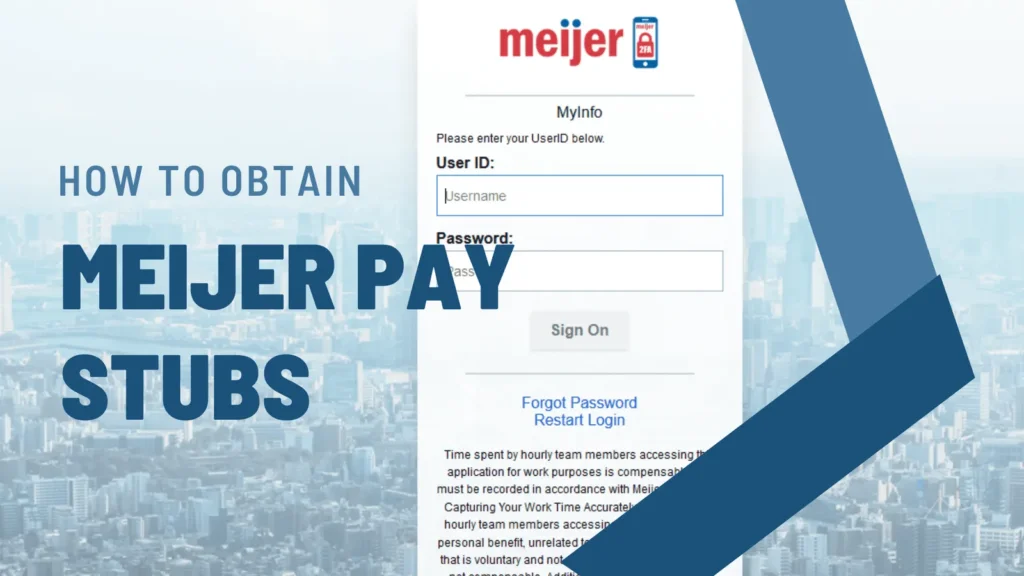
Taking care of your finances forms an integral part of your life, and managing one thing is necessary for tracking your income flow. If you work for Meijer, America’s most celebrated big-box retailer with stores in several states across the country, then you are inquiring about how to get your Meijer pay stub.
For employees who want a clearer understanding of how earnings are structured, using a free paystub generator can help visualize income details and deductions in a simplified format. In this guide, we will walk you through the steps to obtain your Meijer pay stubs, making sure that you have easy access to your financial records.
In this guide, we will walk you through the steps to obtain your pay stubs from the Meijer payroll portal, making sure that you have easy access to your financial records.
What is the Workday Meijer login paystub?
It is a Meijer 365 Workday sign-in for employees powered by Workday, where current and former employees can access their pay stubs, W-2 statements, and other payroll information online.
How can you log in?
- Go to the official website at workday.meijer.com. Enter your User ID (3–7 digits) and password, then press Sign On.
- After entering your credentials, you’ll receive a verification code on your phone (via SMS or Voice). Enter the code on the keyboard to complete the login process.
Online Access to Meijer Pay Stubs
Today, most companies, including Meijer, have switched to digital pay stubs, eschewing paper to allow staff to scrutinize compensation data using an online portal. This spares trees and puts payroll details within immediate reach, regardless of location.
Many employees also find it useful to review a pay stub template beforehand, as it provides a preview of how a pay stub looks before creating or organizing their records.
Accessing Meijer Pay Stubs via the Meijer Employee Portal
To obtain your Meijer pay stubs online, follow these steps:
Step 1: Go to the Meijer dashboard. You can access your pay stubs by visiting Meijer’s official employee portal at workday.meijer.com. If you are using an older account, you may also try myinfo.meijer.com.

Step 2: Your login credentials are provided by Meijer when you join. If you have not received them, contact your HR department. Note that login requires two-factor authentication; a verification code will be sent to your registered phone number.
Step 3: After that, you will see the payroll or pay stub construct, which is most likely placed in the employee dashboard, but varies in position.
Step 4: Pick the pay stub you wish to view or download. Both current and previous pay period stubs are available on the Meijer employee portal.
Step 5: Look over and keep your pay stub. You may opt to view it, print it, or download it to your records.
Receiving Paper Pay Stubs
If you want to get paper pay stubs, Meijer primarily uses digital pay stubs. However, if you require a physical copy, you can request one through your store’s HR department or print it directly from the employee portal.
Below is how you can make sure of receiving your paper pay stubs:
Step 1: Contact HR: If you have not received your paper pay stubs in the timeframe that you had mentioned, you can contact the HR department for instructions on how you can receive them.
Step 2: Provide your address: If you are in for paper pay stubs and still haven’t received them, make sure the HR has inserted the correct address. Any changes to the address will be a clear confusion.
Common Issues and Troubleshooting
When you access your Meijer online pay stubs, you may face issues on your way.
Below are some common problems and their solutions:
Problem 1: If you have forgotten your password or username.
Solution: You can use the Forgot password button on the employee’s dashboard.
Problem 2: Need help accessing the employee portal?
Solution: Make sure you have a stable internet connection, clear your cache, and make sure you are using a reliable web browser.
Problem 3: If you need any distinction on your pay stub.
Solution: If you have any issues on your pay stubs you can contact the HR department; they can help you in making the necessary corrections.
Disclaimer: StubCreator is not affiliated with Meijer or its Associates. Meijer brands or logos are trademarked or registered trademarks. The article general guidance for Meijer paystub access. Refer to Meijer’s official resources and consult HR for specific details.
Conclusion
Whether you prefer them electronically or printed on a piece of paper, obtaining pay stubs from Meijer is relatively easy. This guide contains steps on how you can access and manage your financial data.
Don’t hesitate to contact your HR department anytime if you experience any problems or need an explanation. Your check stubs provide an important projection of your income and help you maintain your finances well.
People May Also Ask
1) How to check Meijer pay stubs?
You will need to contact HR to access your pay stubs from Meijer. What data is needed to access the Meijer Employee Portal? Employee ID, username, password. If you do not have this information, you may need to go out to the HR branch.
2) What is the hourly pay at Meijer?
Hourly pay at Meijer generally ranges from $13 to $22 per hour.
3) How do I log into Meijer Workday?
Visit the Meijer Workday Portal. Log in using your employee ID (or your temporary password if you are a new hire) and complete the required multi-factor authentication (MFA) to securely view your schedule, pay, and benefits.
4) How many hours is full-time at Meijer?
40 hours is full-time at Meijer.
5) Does Meijer have DailyPay for employees?
Meijer doesn’t offer employer-wide DailyPay, although it’s likely to be a pilot software at select defense locations. Comprehensive corporate coverage includes weekly direct deposits.
6) How long do you have to work at Meijer to retire?
To retire from Meijer and retain perks like the Team Appreciation Card, you must reach one of two age and service milestones:
- Age 55: With at least 10 years of continuous service.
- Age 65: With at least 5 years of continuous service.
Also Read:
How to Access UD (University of Delaware) Pay Stub?
FAQ's
How do I access my Meijer pay stubs online?
+
For accessing your pay stubs from Meijer, you will need to contact the HR department.
What information is required for Meijer employee portal login?
+
Employee ID, Username, Password. If you do not have this information, you will need to reach out to the HR department.
Can I view my Meijer pay stubs on a mobile device?
+
Employees are allowed to access their pay stubs on their smartphones. You can view and download them in PDF format.
How often are Meijer pay stubs available for viewing?
+
Since Meijer pays employees on a weekly schedule, pay stubs are available every week. You can log into the Workday portal to view your latest stub as soon as it is processed.