.png)


 Chat with us now!
 Send Email!


A Lyft driver can use the app to give rides, earning money as per their own schedule. They must meet certain requirements, such as being 25+ years of age and having a valid driving license. Getting Lyft Pay Stubs is easy if you pay attention to the steps of retrieving the paycheck stubs.
Getting a pay stub from Lyft is an easy way from the Lyft login; you can monitor your earnings, including any deductions. In this blog, we will be talking about the easiest way to get a Lyft paystub.
Moreover, you can generate your own check stub by using the check stub maker tool for your own record-keeping.
What is Lyft?
Lyft is a ride-hailing app that connects riders who need a lift with drivers willing to give one, usually in their own car; like calling up a friend with a car, except that friend is one of thousands of drivers logged into the app in your city.
Since launching in 2012, Lyft has grown into one of the largest rideshare companies in the U.S. and Canada, and it works a bit differently from a regular job: drivers log in whenever they want to work and go offline whenever they’re done, rather than clocking in for set shifts.
Why Do You Need a Lyft Pay Stub?
Lyft drivers are independent contractors and not employees, they don’t get a traditional Lyft driver pay stub with taxes withheld automatically.
You need a Lyft driver statements for the following reasons:
- Tax Compliance: When completing your taxes, pay stubs assist you in accurately reporting your earnings and outlays.
- Financial Planning: A pay stub gives you a clear picture of your earnings, allowing you to manage your budget and economic objectives properly.
- Loan Application: A pay stub acts as proof of income to verify their loans.
- Rental Agreements: Landlords might request pay stubs from you to check your financial stability.
- Record Keeping: Tracking your pay stub is crucial for a thorough financial history that can be useful in a number of circumstances.
How to Get Lyft Monthly Earnings Statement?
Below are the steps to get your Lyft driver pay stub:
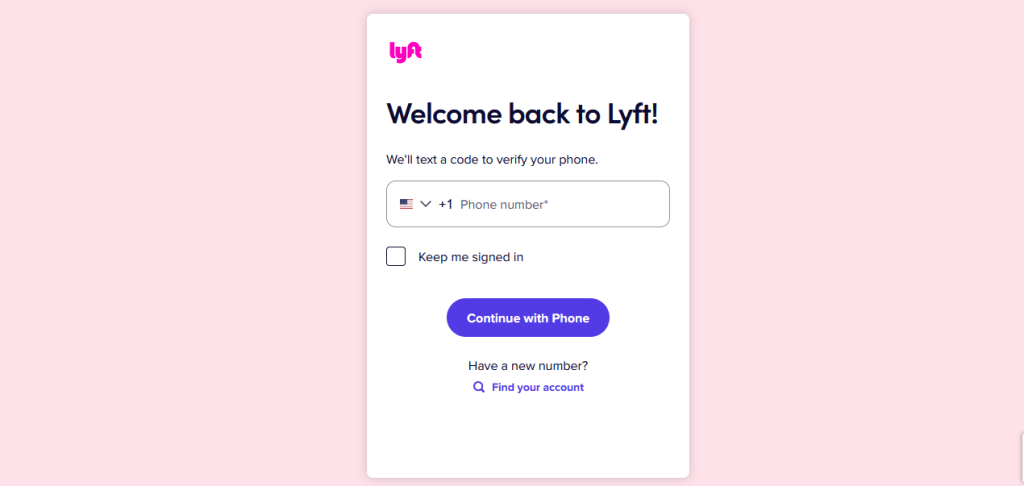
1. Log in to your Lyft Account
- Open a web browser and navigate to the Lyft website.
- Click on the login option to access your account.
2. Access the Driver Dashboard
-
- After you log in, navigate to the driver’s dashboard. In this section, you will find a variety of information, which will include your earnings and your Lyft monthly statement.
3. Locate the Pay Stub Section
- In your Lyft employee portal, look for a section labelled Earnings.
- Click on this section to access your Lyft pay stubs.
4. Look and Download Your Lyft Pay Stubs
- Your Lyft paycheck stub will be available for viewing and downloading in a PDF format.
Understand Your Lyft Pay Stub
- Gross Earnings: This represents your entire earnings before any deductions are made.
- Deductions: This includes the amounts deducted from your gross earnings.
- Net Earnings: This is the amount you will see in your bank account.
- Tax Withholdings: You do not deduct any taxes from your earnings as a Lyft driver because you are regarded as an independent contractor.
- Bonus: You may receive bonuses and incentives from Lyft, which will appear on your pay stub and may impact your earnings.
- Miles Driven: This contains data regarding the total number of miles driven throughout a specific pay period. It assists you in keeping track of your business expenses, including vehicle-related deductions.
Tip: For accurate pay stubs for your employees, you can use StubCreator’s free check stub maker.
Conclusion
It’s critical to access and comprehend the Lyft pay stub to manage your money and recognize your tax responsibilities as an independent contractor.
To quickly access pay stubs from Lyft, follow the instructions provided in this blog. Additionally, keep a close eye on your income and deductions to make sure that both your legal compliance and financial soundness are in order.
Disclaimer: Stubcreator is not affiliated with Lyft or its Associates. Lyft brands or logos are trademarked or registered trademarks. The article general guidance for Lyft paystub access. Refer to Lyft‘s official resources and consult HR for specific details.