.png)


 Chat with us now!
 Send Email!


Whether you are a current employee looking at your most recent pay stub or a former worker searching for your W-2 as tax season approaches, being familiar with the way to use Wegmans payroll systems is really necessary.
Whether you’re applying for a loan, filing taxes, or just keeping tabs on your earnings, your Wegmans paystub is one of the most important documents you have access to as an employee. If you are looking for a reliable check stub maker, platforms offer a convenient way to create polished pay stubs anytime, anywhere.
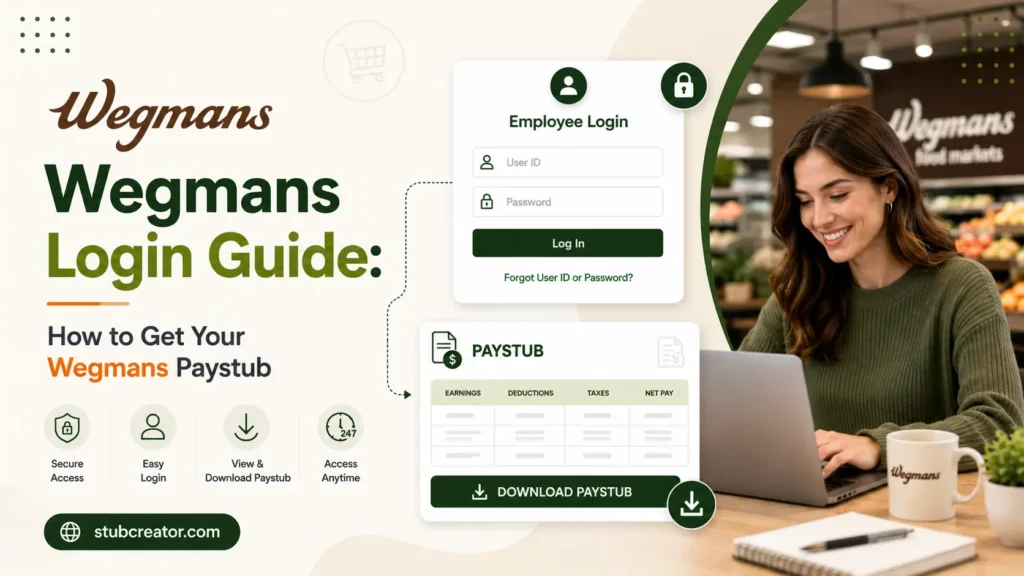
This guide explains all parts of the Wegmans login process – from accessing the Wegmans employee account and using the My Wegmans Connect portal to the steps for logging into Wegmans Workday, resetting passwords, and the actions to take after you have stopped working there.
What is Wegmans Paystub?
A Wegmans paystub is a type of pay document that employees at Wegmans receive, which details their salary for the given pay period. It contains a set of crucial payroll written materials like the gross salaries, number of hours worked, overtime payment, tax deductions, deductibles, and net pay.
What Is My Wegmans Connect?
My Wegmans Connect acts as a digital platform that helps the employees of Wegmans Food Markets to access various services like pay information, work schedules, benefits, and HR tools. By the year 2026, the company Wegmans would have 114 stores in nine states, including the District of Columbia, and employ 54,000+ people. To run a business on such a scale requires a solid digital system, and My Wegmans Connect, supported by Workday.
By using Wegmans Connect, present employees can view and print Wegmans pay stubs, find out about work schedules, edit personal information, start benefits enrollment, change direct deposit info, and apply for leave. The portal is always open, i.e., 24 hours a day, 7 days a week, to enable employees to access their Wegmans pay stub anytime they want.
Wegmans Employee Login: Step-by-Step Guide
Below is the complete process for both desktop and mobile access in 2026:
- Open a web browser and navigate to the My Wegmans Connect login page.
- The system will redirect you to the Wegmans Microsoft sign-in page.
- Enter your employee ID.
- Click Next.
- Enter your password and click Sign In.
- Complete the multi-factor authentication (MFA) step.
- Once authenticated, you will land on the My Wegmans Connect dashboard, where the Pay section gives you access to your current and historical Wegmans pay stubs.
Accessing Your Wegmans Paystub
After you land on the My Wegmans Connect dashboard, look for the Pay or Wage Statements section. From there, you can:
- View your most recent Wegmans pay stub, including gross earnings, deductions, taxes withheld, and net pay
- Access historical Wegmans pay stubs going back through your employment
- Download a PDF copy for loan applications, rental agreements, or personal records
Pay stubs from Wegmans are generated on a biweekly basis, depending on your position and store location. Each Wegmans pay stub details federal and state income tax withholdings, Social Security and Medicare deductions, any voluntary deductions like 401(k) contributions, and the gross-to-net pay calculation.
Wegmans Workday Login: What You Need to Know?
Wegmans works with two intersecting digital platforms: My Wegmans Connect is used for routine self-service activities such as schedule checking and pay stubs, whereas Workday is used to keep track of employees’ records and manage difficult tasks such as filling out new hire forms, enrolling in benefits, changing direct deposit, and planning one’s career over the long haul.
Usually, you go through the My Wegmans Connect dashboard when you want to get to the Wegmans Workday employee login. This dashboard has a link that takes you directly to the Workday system of the company. So, if you think about it, the Wegmans Connect portal is not a separate Workday URL that you always have to get to manually; it is just the gateway that directs you to Workday when required.
Wegmans W-2 for Former Employees: How to Get Your Tax Documents?
Paying taxes is the top motivation for most ex-Wegmans staff to find their login details. No matter if you quit just last month or even a few years ago, you should keep in mind this information about how you can check your Wegmans W2 as a former employee in 2026.
If you left Wegmans recently
Organizational records indicate that ex-staff members usually continue to have a Wegmans Workday employee login access for a certain period after their exit. In case your login is still enabled, you can use the same Workday Wegmans employee login method illustrated above- type your employee ID (@wegmans.com), do the MFA, and move on to the Pay app. After that, press My Tax Documents to find your W-2. Electronic W-2 forms, as a rule, are made available by Wegmans in January of the subsequent tax year.
Wegmans Former Employee W-2: If You Cannot Log In
Below, you can do the following steps if you cannot log in:
- Contact Wegmans HR directly at 1-800-WEGMANS (1-800-934-6267).
- Request that a paper W-2 be mailed to your current address. Confirm that Wegmans HR has your most up-to-date mailing address on file.
- If Wegmans used a third-party payroll service for W-2 processing, HR can direct you to the correct portal or vendor contact.
According to federal regulations, employers must provide W-2 forms to all employees – past and present – no later than January 31 each year. If by mid-February you still haven’t gotten your W-2 as a former employee of Wegmans, get in touch with both Wegmans HR and the IRS, who may send a formal request for you.
What Can Employees Do With the Wegmans App?
Many employees at Wegmans now and in the future are curious about whether the Wegmans app, which users can get for free on iOS and Android, is a way of checking pay stubs, logging in as an employee, etc. The brief answer is that the application is largely the customer shopping interface and not the employee payroll portal.
Besides that, the Wegmans app offers digital coupon clipping, lets users get organized for shopping by creating a grocery list based on the order of the aisles in the store, offers recipes, offers delivery and pickup orders, and provides a way to handle the Shoppers Club account.
But Wegmans also has a separate internal staff-facing application called Wegmans The Dish, which is on the Apple App Store, and has the purpose of team communication and providing employees with organizational updates. But, as of the middle of 2026, this app still does not allow viewing pay stubs or give payroll access to the employees who require those functionalities will still need to go through the My Wegmans Connect web portal or Workday.
If you have been looking for a Wegmans employee login option in the main Wegmans application, remember that the correct way continues to be through the My Wegmans Connect web portal rather than the shopping app. You can save the portal URL on your phone’s browser for quick access on mobile.
Note: Making your own pay stub also requires a good pay stub template, and that can help you to create your own for your record-keeping.
What to Do If You Forget Your Password?
Sometimes people forget their password and get locked out of their Wegmans payroll record accounts, which is usually the number one cause. One might be able to open the account, reset a lost password, or verify credentials without the need to contact an IT support by using Wegmans self-service password reset instrument at sspr.wegmansapps.com. Yet, if one cannot obtain help from the self-service portal, the person can call Wegmans customer service number at 1-800-WEGMANS (1-800-934-6267) and ask to be transferred to Human Resources.
Here are a few reminders: your User ID is always your 7-digit employee number; one password is valid for all Wegmans-connected portals; and the portal URL is also available on your badge and on your physical pay stubs for your convenience.
Common Login Issues and How to Fix Them
- Forgotten Wegmans Employee Login Password: Use the self-service reset tool at sspr.wegmansapps.com. You will verify your identity through a secondary email or phone number on file and then create a new password. The new password will apply across all Wegmans portals, including Workday.
- Locked Account: Too many failed login attempts can cause an account lockout. A similar self-carrying device at sspr.Wegmansapps.Com can unburden your account, or call Wegmans HR at 1-800-934-6267 for a mentor intervention.
- MFA Issues: If you change the size of your phone and cannot access the MFA code, touch Wegmans HR immediately to replace your registered number. Don’t try to pass an MFA; it’s a security level required for all off-website entry.
- Pages not loading: In case the portal is slow or not responding, you may want to clear the cookies and cache of your browser or load the page in an Incognito or Private window. Changing browsers can also fix display problems that result from old cached data.
Key Takeaways
Once you know the two-platform system, it is quite simple to get your Wegmans paystub in 2026. My Wegmans Connect is for your everyday self-service that includes pay stub access and schedule viewing, whereas Wegmans Workday is for heavier HR functions that include benefits, direct deposit, and W-2 tax documents.
What you should keep in mind are your 7-digit employee ID (that is always combined with @wegmans.com), the password self-service reset tool at sspr.wegmansapps.com, and if there are unresolved issues, the Wegmans HR helpline at 1-800-WEGMANS. Former employees who want to get their Wegmans W-2 should act quickly in January so that they do not have to wait because of tax season.
Frequently Asked Questions
1) How much do Wegmans employees make per hour?
Wegmans employees typically earn a median of $16.50 to $18.50 per hour in step for the prevailing team member and cashier role, although the starting fee and exact salary may vary depending on your sector, particular branch, and degree.
2) How do I reset my Wegmans password?
To reset your Wegmans customer account password, visit the Wegmans Sign In Page and click the Forgot Password link.
3) How much does a Wegmans store manager make a year?
A Wegmans Store Manager typically earns between $130,000 and $275,000+ per year.
4) What is the highest-paying job at Wegmans?
The highest-paying jobs at Wegmans are typically corporate executive and senior management roles.
5) How much does a VP at Wegmans make?
A Vice President at Wegmans typically earns a total compensation package ranging from $150,000 to $250,000+ per year.
6) How much is Wegmans starting pay?
Wegmans beginners typically rate between $15.00 and $18.50 per hour for entry-stage crew individuals, depending on your location, unique branch, and neighborhood cost-of-living standards.
7) Is it difficult to get hired at Wegmans?
Working for Wegmans is often seen as moderately to very competitive. Part-time positions are usually less difficult to get. Yet the company is inundated with thousands of applicants, and the interview process, which is quite intense and involves several rounds, is mainly customer service-oriented.
8) What is the 70 30 rule in hiring?
The 70/30 rule in hiring states that you have to lease applicants who meet 70% of the job requirements. The closing 30% are talents, trends, or software program proficiencies that can be developed after hiring through onboarding, mentoring, and on-the-job schooling.
9) What ethnicity is Wegman?
The surname Wegmann is of German and Germanic/Dutch origin. Generally speaking, this is an Americanized spelling of the German surname Wegmann, which initially served as a topographical name or business name for someone who lived near a main road/road or alternatively worked in travel.
10) Where is the oldest Wegmans?
The oldest continuously operating Wegmans is located at the Country Club Plaza (2200 Fairport Road) in East Rochester, New York. Opened in 1958, it’s the smallest and oldest keep within the chain, preserving much of its mid-century architectural charm and retro outdoor signage.
Also Check:
Northwestern Employee Login Guide