.png)


 Chat with us now!
 Send Email!


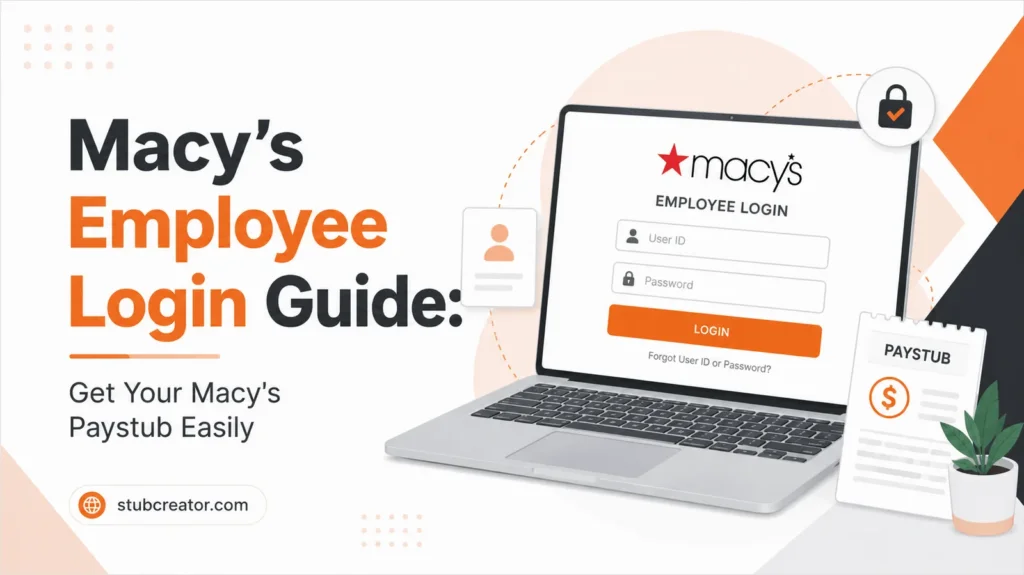
If you’re a former or current employee at Macy’s, accessing your payroll information is vital for reviewing earnings, tax deductions, and W-2 forms. Via the Macy’s login portal, the associates can access their Macy’s pay stubs, employment records, and more.
This whole guide explains to you the need to understand the Macy’s employee login, including how to log in, view pay stubs, access W-2 forms, use the mobile app, and retrieve information as a former employee. Create accurate pay stubs in minutes using our professional free paystub generator, perfect for employers and small businesses.
What is Macy’s?
Macy’s is a very popular department store chain in America, selling high-end products. The company was founded by Rowland Hussey Macy in October 1858 and is currently headquartered in New York City. Over its 164 years of history, Macy’s has been serving customers with the best selection of clothing, footwear, home, lifestyle jewelry, furniture, accessories, etc.
Macy’s, once known as R.H. Macy & Co., was operating at 510 locations throughout the US as of the third quarter of 2022. The parent company, Macy’s, Inc. besides three subsidiaries: Macy’s Furniture Gallery, Macy’s Backstage, and Market by Macy’s. Tony Spring is the current CEO of the company.
Considering the company’s history, thousands of employees have come and gone, witnessing the transformation of R.H. Macy & Co. to Macy’s Inc. The company currently employs approximately 130,000 people at its 510 stores of Macy’s Inc., including Macy’s Furniture Gallery, Macy’s Backstage, and Market by Macy’s.
How Can You Access Your Macy’s Paystub?
To access your Macy’s paystub:
- Visit the official Macy’s HR portal.
- Select the employee login option.
- Enter your Employee ID and password.
- Sign in to My IN-SITE.
- Navigate to the Payroll or Pay Information section.
- Select the pay period you want to view.
- Download or print your paystub.
What is Macy’s Login Portal?
The Macy’s employee login system is an online employee self-service portal designed for Macy’s and Bloomingdale’s associates. The portal allows employees to manage work-related information without contacting HR for routine requests.
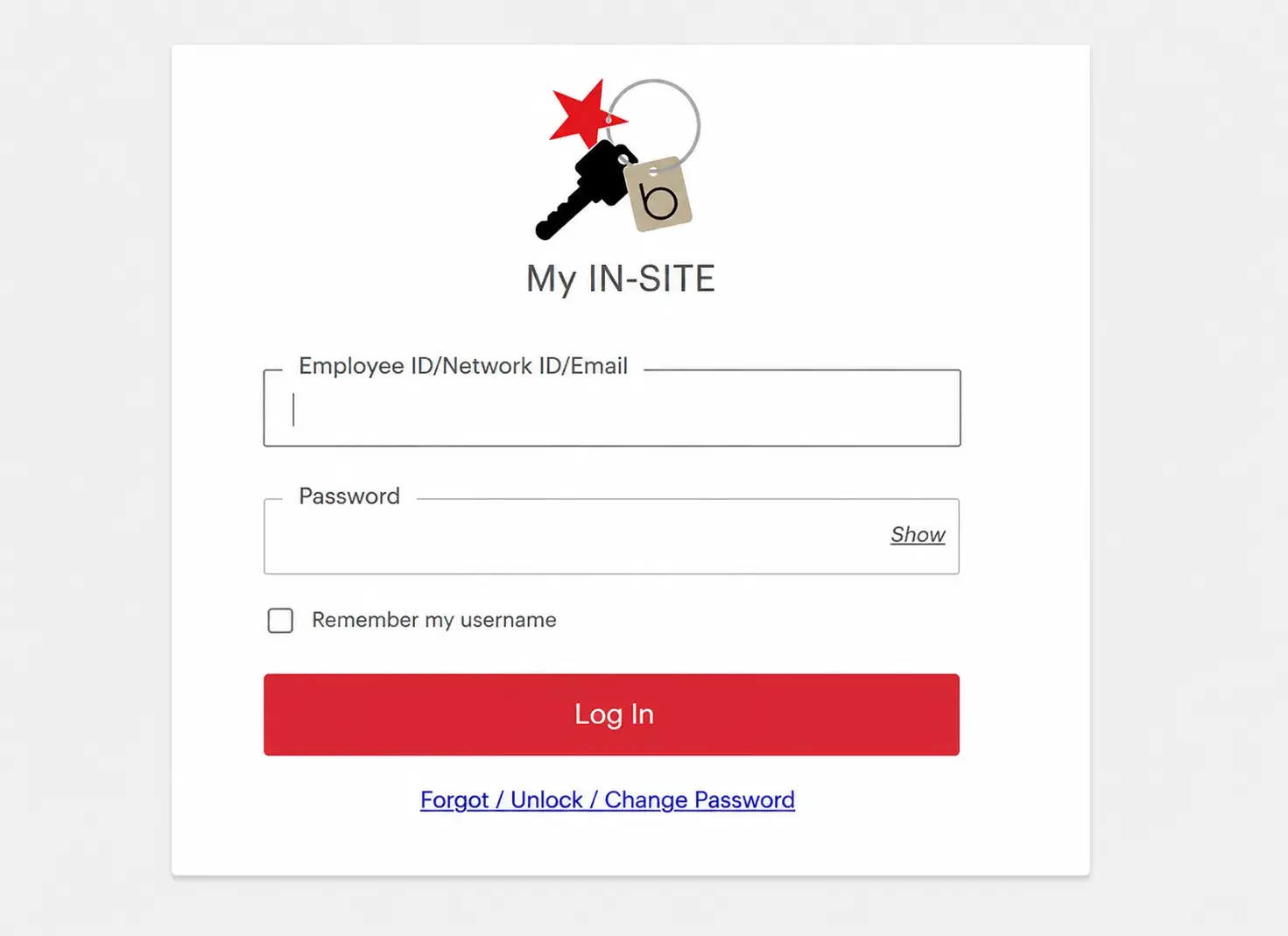
Using the portal, employees can:
- View and download paystubs
- Access tax forms and W-2s
- Review work schedules
- Update personal information
- Manage benefits
- Check paid time off (PTO)
- Access company resources and announcements
What is Macy’s Employee Login Paystub?
Macy’s employee login paystub is the document that provides a detailed breakdown of your earnings for a limited pay period. Your pay stub includes:
- Employee information
- Pay period dates
- Gross pay
- Net pay
- Federal tax deductions
- State tax deductions
- Social Security deductions
- Medicare deductions
- Retirement contributions
- Direct deposit information
- Year-to-date earnings
Employees often need paystubs for:
- Loan applications
- Renting apartments
- Tax filing
- Income verification
- Personal financial records
Considering the right paystub sample template can help you to understand your paystub, you can preview it freely, and then download it by just checking the templates.
Macys.com Login Step-by-Step Guide
If you’re logging in for the very first time, follow the steps below:
1) Visit the Employee Portal
Go to the official Macy’s HR website and select the My IN-SITE login option.
2) Insert your Credentials
You need to have: Employee ID & password.
3) Finish Authentication
As per your account settings, Macy’s may require additional security verification before granting access.
4) Access Payroll Information
After successful login:
- Navigate to Payroll
- Select Pay Information
- View your available paystubs
- Download PDFs if needed
What Are Login Requirements?
You will need to have the following information in hand:
- Valid Employee ID
- Active password
- Internet connection
- Supported browser
- Updated security information
If you cannot remember your credentials, use the password recovery options provided through the portal.
How can Current Employees access their Macy’s Pay Stubs?
Current Macy’s employees can access their Macy’s pay stubs through the company’s employee self-service portal.
Steps to Access Macy’s pay stubs as a current employee:
Step 1 – Visit the official Macy’s Employee Login Portal
Step 2 – Enter your:
- Employee ID (EID)
- Password
Step 3 – Complete any required security verification
Step 4 – After logging in, navigate to:
- My HR
- Payroll
- Pay Statements/Paystubs
Step 5 – Select the pay period you want to view
Step 6 – Download or print your paystub for your records
How To Get Macy’s Former Employee Login Paystub?
Tax season often leads to questions regarding Macy’s W2 former employee access.
Macy’s allows employees to receive W-2 forms electronically through its tax management system. Employees who opt into electronic delivery may receive forms earlier than mailed copies.
Steps to get Macy’s pay stubs as a former employee:
- Log in to My IN-SITE
- Open Resources
- Select W2 Online
- Access the Tax Form Management system
- Download your W-2
Former employees can typically access tax forms through Macy’s designated tax management process or by contacting HR if login issues occur.
Macy’s Paystub Portal Login Features
The Macy’s employee login app offers useful features such as:
- Digital Paystub Access: Employees can review current and previous pay statements online.
- Download Macy’s Paystub: Paystubs can typically be downloaded for personal records.
- Direct Deposit Information: Associates can verify direct deposit details and payment history.
- Earnings History: Employees can track year-to-date income and deductions.
- Tax Information: Payroll records help employees prepare for annual tax filing.
Can you Access Macy’s Paystubs through the Macy’s App on Mobile?
Many employees prefer managing payroll information from their smartphones.
The Macy’s app primarily focuses on customer shopping services, but employees can often access HR services through mobile-friendly versions of Macy’s employee systems and portals.
Benefits of mobile access include:
- Viewing schedules
- Checking payroll information
- Accessing benefits
- Managing personal information
Employees should always use official Macy’s resources when accessing sensitive payroll information.
What is Macy’s Insite Portal?
Macy’s paystub portal Insite is an online platform that was developed by Macy’s human resource department, which allows the company’s current and former employees to access their employment-related information within a few clicks.
How to register for the Macy’s Insite Portal?
Below is how you can register for the Macy’s Insite employee portal:
- Visit the official website of Macy’s My Insite Official Employee Portal here.
- Click on My In-Site from the menu, which will open the sign-in page for you. Click on Sign In, and you will be redirected to a new page.
- You will be required to provide your employee ID and password. So, you will need to provide your employee ID and Network password to get access to the system.
Benefits of using Macy’s Login Employee Paystubs
I) Faster Tax Filing
Download W-2 forms directly online.
II) Better Record Keeping
Store and retrieve payroll documents easily.
III) Self-Service Access
Reduce dependence on HR representatives.
IV) Enhanced Security
Secure login systems help protect employee information.
Common Macy’s Troubleshooting Tips
Below are the common troubleshooting tips for Macy’s:
1) Forgot Password
Use the password recovery option on the login page to reset your password.
2) Locked Account
Too many failed login attempts may temporarily lock your account.
3) Incorrect Employee ID
Double-check for: Employee number, Login format.
4) Browser Issues
Try: Clearing cache or disabling browser extensions.
Security Tips for Macy’s Login Paystubs
While accessing your mecys.com login, employee paystubs:
- Use strong passwords
- Avoid public Wi-Fi
- Never share login credentials
- Enable security verification when available
- Log out after each session
- Keep contact information updated
Key Takeaways
Through the Macy’s employee login system, getting to your payroll data is extremely simple. If you are a current staff member wanting your recent paystub from Macy’s, an employee utilizing the Macy’s paystub portal, or a previous employee seeking Macy’s former employee login paystub details, the My IN-SITE platform offers an easy channel to handle your work documents.
You can additionally create your pay stubs independently, by using the accurate paystub creator. It can help you generate accurate pay stubs quickly and efficiently.
FAQs
1) What is Macy’s Employee Login?
Macy’s Employee Login is an online portal that allows current employees to access picture-related information, including schedules, benefits, tax bureaucracy, and Macy’s paystubs.
2) How do I access the Macy’s Employee Login Portal?
Employees can sign in through the official Macy’s employee portal using their employee ID and password.
3) How can I view my Macy’s paystub online?
After logging into the employee portal, navigate to the Payroll or Pay section to view and download your Macy’s paystub.
4) Can I download my Macy’s paystubs?
Yes. Most employees can download PDF copies of their paystubs.
5) Can former employees access Macy’s paystubs?
Former employees may be able to access previous pay records through the employee portal or by contacting Macy’s Human Resources department.
6) How often are Macy’s paystubs updated?
Paystubs are generally updated each pay period and become available shortly before or on payday.
7) Is the Macy’s Employee Login portal secure?
Yes. Macy’s uses secure authentication and encryption measures to help protect employee payroll and personal information.
8) Can I access Macy’s Employee Login from my phone?
Yes. The portal is accessible from most smartphones and tablets with an internet connection.
9) Who should I contact if my Macy’s paystub contains errors?
Contact Macy’s Payroll Department or Human Resources immediately if you notice incorrect earnings, deductions, or tax information on your paystub.
10) How can I get my Macy’s W2?
Retrieve your Macy’s W-2 online through the My Tax Form portal, by logging in with your employer name/address, or for current employees, via the W2 Online hyperlink in the My IN-SITE portal.
Also Check:
How To Access Hobby Lobby Paystub?
How to Get Paystubs From Tenet