.png)


 Chat with us now!
 Send Email!


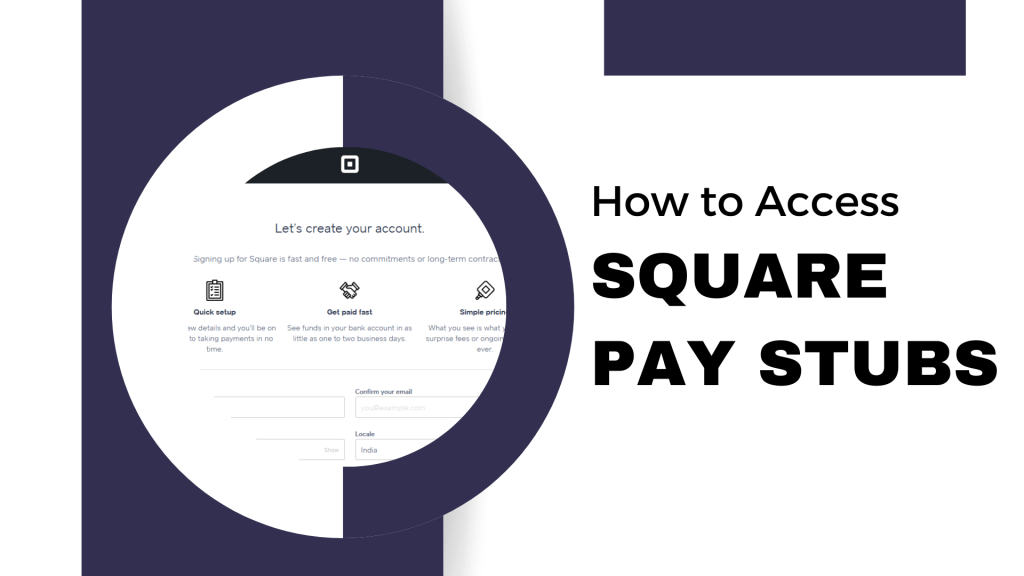
Pay stubs are essential to both employers and employees because they must be accurate and organized. Among the most popular payroll processing systems, Square Pay Stubs allows for an easy means of creating and accessing check stubs.
With this step-by-step tutorial, we are going to help you find Square pay stubs without much sweat. Whether you are an employer who wants to provide pay stubs to your employees or an employee who wants to get their pay stub, this guide covers all the information.
Steps to Get Square Pay Stubs
Let us go through the steps now that show how to obtain Square Pay Stubs:
Setting up Square Payroll:
To create pay stubs, you first have to set up Square Payroll. Here is what you do:
- First and foremost, you are supposed to create a Square account if you don’t have one.
- Secondly, you’re supposed to add your business information: the name of your business, address, and tax identification number.
- Third, you need to set up your employees by adding their information, including their names, email addresses, and information about their tax withholdings.
Link your bank account.
Link your business account with Square Payroll to make payment processing easy. For generating employees’ pay stubs:
After setting up Square Payroll and adding employees, you are ready to generate pay stubs for each pay period.
Here is how you can do it:
- Pay information: For each employee, enter the hours worked, hourly rates, salaries, extra earnings, and deductions for the pay period in discussion.
- Verify and Approve: Pay details are reviewed for accuracy and the correctness of all calculations. Once you are okay with them, approve the payroll run.
- Pay your employees: Square Payroll will process payroll and transfer funds to your employees’ bank accounts.
- Access pay stubs: Square Payroll generates pay stubs for its employees after every payroll run. The pay stubs can be accessed digitally.

Employee Access to Pay Stubs:
Pay stubs generated via Square Payroll are easy for employees to access.
Here’s how:
- Employee login: Have your employees sign in with their credentials to their Square Payroll account.
- View pay stubs: Once signed in, employees can select the Pay Stub tab to view and download their pay stubs for each pay period.
- Printable option: By default, Square Pay Stubs are digital and can also be printed out so that employees may retain physical copies if they wish.
Frequently Asked Questions (FAQs)
To answer some frequently asked questions about how to get the Square Pay Stub, let’s examine a few questions that may help workers gain or retrieve their pay stubs from Square Up.
Can I access my Square Pay Stubs on a mobile device?
Yes, Square Payroll is mobile-friendly. You can access your pay stubs on smartphones and tablets through the Square Payroll app or a mobile browser.
How long are pay stubs available for viewing and downloading?
With Square Payroll, the pay stubs generated may remain in view and downloadable for a number of years. However, this tenure may change depending on the type of subscription one has with Square Payroll.
Are Square Pay Stubs legally compliant?
Yes, Square Pay Stubs are designed to be compliant with legal requirements and carry the required information under federal and state regulations.
Can I customize the appearance of Square Pay Stubs?
Depending on your Square Payroll plan, you may need more ability to customize how pay stubs appear. You will be able to include things like a company logo and contact information.
Conclusion
Square Pay Stubs is an easy, convenient way to handle payroll and give employees complete pay information. By following this guide, you can easily set up Square Payroll, create pay stubs, and provide access to financial documents for your employees.
Disclaimer: Stubcreator is not affiliated with Square or its Associates. Square brands or logos are trademarked or registered trademarks. The article general guidance for Square paystub access. Refer to Square’s official resources and consult HR for specific details.
FAQ's
How do I access my Square pay stubs online?
+
You can access your Square pay stubs by logging into the Square employee portal. Details for login are typically provided by your employer.
What information is required to obtain Square pay stubs online?
+
You'll need a username and password, which are typically provided by Square or your employer. If not, reach out to your HR department.
Can I request physical copies of my Square pay stubs?
+
If online access is not available, you can usually request physical copies from Square's HR or payroll department.
How frequently are Square pay stubs generated and accessible online?
+
Pay stubs are typically generated based on your pay schedule, which may vary. You can inquire about specific pay dates from your HR or payroll department.