.png)


 Chat with us now!
 Send Email!


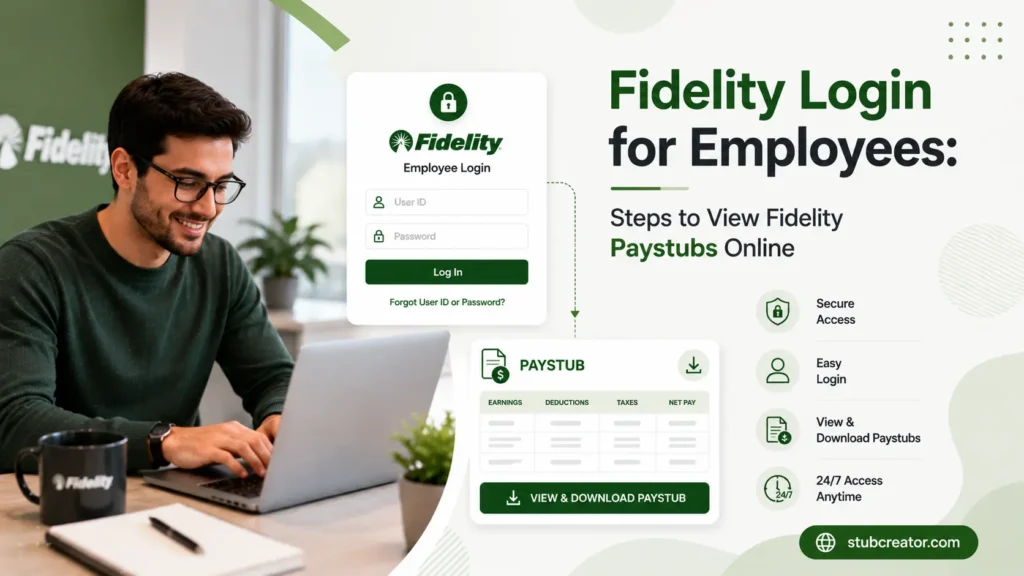
If your job uses Fidelity to manage your paycheck, retirement plan, or benefits, you’ll need Fidelity Login to check your paystub. This guide walks you through the whole process in plain, simple steps; no finance jargon, just what you need to get logged in and find your paystub fast.
Moreover, you can generate your own pay stub by using the free paystub generator, for record-keeping purposes.
What is Fidelity?
Fidelity (officially Fidelity Investments) is one of the largest providers of financial services in the U.S. In addition to helping individuals invest and save for retirement. Fidelity secretly manages the 401(k)s for thousands of employers across America.
Many companies leverage Fidelity to manage their employees’ 401(k) plans via Fidelity 401k login, retirement benefits, and even payroll-related data, such as pay stubs.
What is Fidelity Login?
“Fidelity Login” is just the name for logging in to your account on Fidelity’s website with your username and password. Once the invitation is granted, you can log in and land on a dashboard where you can:
- View and download your pay stubs
- Review retirement account details
- Check your 401(k) balance and contributions
- Update personal and banking information
Think of it as your one-stop online platform for anything related to the benefits your employer offers through Fidelity.
How to Access Fidelity Login for Employees
There are 2 main ways employees usually log in, depending on what your employer has set up.
1. Fidelity.com Log In Page
You can consider this the standard login page for Fidelity. If your employer uses Fidelity directly for payroll-related benefits, you’ll do Fidelity sign in here using your username and password.
2. NetBenefits Login (netbenefits.com)
The majority of employees are using NetBenefits as Fidelity’s workplace benefits portal that includes features for accessing company-provided 401(k) plans, retirement accounts, and pay stubs. If your employer talked about something in your onboarding paperwork called NetBenefits, this is the site to bookmark.
Information You’ll Need to Sign In
Before you log in, make sure you have:
- Your username or SSN number
- Your password
- Access to your mobile or email if you want a security code
- Your employer’s name, maybe the system will ask you to confirm which company you are working for
Steps to Log In and View Fidelity Paystubs Online
Here’s the simple step-by-step process:
- Step 1 – Go to the Fidelity Log In Page- Open your web browser and navigate to either fidelity.com or netbenefits. com, which depends on what your employer uses. After clicking the Fidelity Investments login button, you will be redirected to a page.
- Step 2 – Enter Username and Password– Write your username name & password. If this is your first time logging in, look for a link that says “Register” or “New User” to create your account.
- Step 3 – Navigate to the Paystub/Payroll Section– Find Paystub/ Payroll Section- After the login, check for any category or tab related to “Payroll,” “Paystubs,” “Pay & Taxes,” etc. Usually, this can be located in your account dashboard or under a “My Benefits” type menu.
- Step 4 – Download or Print Your Paystub– Choose the pay period that you are interested in checking. Also, typically within your browser, you have a chance to download as a PDF or print from the browser too for your records.
Fidelity 401K and Retirement Login
If your company offers a 401(k) plan through the Fidelity 401k account log in, you can easily access your retirement savings.
Accessing Your 401K Account
After logging in, look for a section labeled “Retirement” or “401K” on your dashboard. From there, you can view your account balance, investment choices, and statements.
Checking Retirement Contributions
You can also see how much you and your employer have contributed so far this year. This helps track your savings goals or check if you’re getting your full employer match.
Note: If you are creating a paystub by tool, you need to check their free paystub template library to check which looks okay for your needs.
Common Login Problems and Fixes
Running into trouble logging in? Here are the most common issues and how to fix them.
Forgot Password or Username
On the sign-in page, tap forgot username or password. Before you reset it, they typically ask that you authenticate your identity via email, text, or security questions.
Account Locked Out
Too many wrong attempts in logging in to your account will result in temporary blocking. In that case, wait for a while and try again, or reset your credentials using the “Forgot Password” option to regain access.
Wrong Website (Fedelity, Fidelty, Fedility — Spelling Mix-ups)
Go online, search for “Fidelity” and it’s all too easy to mistype: common typos include “Fedelity,” “Fidelty,” or, simply not even noticing the missing a. Check back, make sure the spelling is correct, and always on the official fidelity. com or netbenefits. Com. This is useful in preventing you from landing on a spoof or fraud copycat website.
Conclusion
Logging in to view your Fidelity paystub doesn’t have to be confusing. Whether you’re using fidelity.com or NetBenefits, the process is the same: log in, head to the payroll or paystub section, and download what you need.
If you ever run into login trouble and can’t access your Fidelity pay stub easily, you can use the free online pay stub generator to create your own.
FAQs
1) Is There a Fidelity App for Paystub Access?
Sign in to your Fidelity account, go to the Statements or Documents section, and select the file you want. Click Download PDF to save it to your device.
2) Does Fidelity have payroll?
Fidelity, no, you are not a payroll provider. It focuses mainly on retirement products, employee benefits, and investment services.
3) How do I access my Fidelity statements?
Request retirement statements, go to your Fidelity or NetBenefits account, and pull up the Statements or Documents section. They are available for viewing, downloading, or printing there.
4) Are Fidelity and netbenefits the same?
No, they are different platforms. So, Fidelity is the primary financial services platform, and then NetBenefits is employer-sponsored workplace benefits.
5) How to download PDF from Fidelity?
Log in to your Fidelity account and click on the Statements or Documents section to access the specific documents you want. Then download a PDF file directly to your machine by clicking on Download.
6) How do I access my Fidelity retirement account?
Log in to your Fidelity or NetBenefits account using your credentials. After that, go to your dashboard and choose your retirement account, where you can see a balance and account overview.
7) Can I withdraw my 401 (k) from Fidelity?
Yes, you can take out of your Fidelity 401(k) if you fulfil your plan’s eligibility requirements. Taxes and penalties may apply based on the age at withdrawal and type of withdrawal.
8) Is Fidelity NetBenefits the same login as Fidelity?
In many cases, yes. You can re-use your Fidelity username and password for Fidelity. com, as well as NetBenefits, depending on your employer’s account configuration.