.png)


 Chat with us now!
 Send Email!


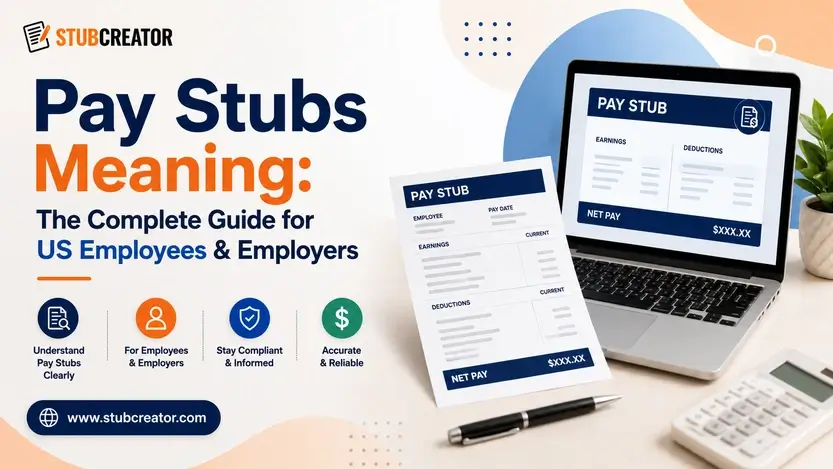
If you’ve ever stared at your paycheck stub and wondered what half those numbers actually mean, you’re not alone. Millions of people get paid every two weeks and never really look past the “amount deposited” line. But pay stubs matter more than most people realize; they’re proof of income, they protect you legally, and they’re often the first thing a landlord, lender, or loan officer asks to see.
This guide walks through everything: what pay stubs are, why they matter for both employees and employers, what should be on one, how to get yours, how to make one using a pay stub generator, and how to spot a fake.
What Are Pay Stubs?
Pay stubs meaning: a pay stub is the paper or digital document that comes with your paycheck and breaks down exactly how your pay was calculated for a specific pay period.
Pay stubs show your gross pay, what got taken out in taxes and deductions, and what you actually have in your bank account as net pay.
Your employer runs payroll, and instead of just handing you a number, they hand you the math behind that number, considering hours worked, pay rate, gross wages, taxes withheld, deductions, and net pay, as well as year-to-date (YTD) totals so you can track your earnings over time.
Some people call it a paycheck stub; others just say “paystubs” as one word.
If your company uses direct deposit, you might not even get a physical pay stub, or you need to log into a payroll portal and download electronic pay stubs whenever you need them.
Why Are Pay Stubs Important?
Pay stubs aren’t just documents sitting in a drawer. They actually do a job for both the employer and employees.
For Employers
- Payroll records – Employers need to keep accurate payroll records for every employee, and pay stubs are the simplest way to document that wages were calculated and paid correctly.
- Compliance – Under the Fair Labor Standards Act and various state laws, keeping clear wage records helps employers stay compliant.
- Employee transparency – Giving a clear, itemized pay stub builds trust. Employees can see exactly how their gross and net pay were calculated.
- Tax reporting – Accurate pay stubs make quarterly and annual tax reporting to the federal government far less of a headache.
For Employees
- Proof of income – Whether you’re applying for an apartment, a car loan, or a mortgage, lenders and landlords almost always ask for recent pay stubs as income verification.
- Tax filing – Your pay stub shows federal income tax, state taxes, and local taxes withheld throughout the year, which makes filing taxes at year-end much easier to double-check against your W-2.
- Loan applications – Banks want to see a track record of stable wages paid before approving anything. Pay stub documents are usually part of the required paperwork.
- Renting a home – Most landlords require pay stubs to confirm you can afford rent before they even run a credit check.
- Budgeting – Knowing your actual take-home pay after deductions helps you plan monthly expenses realistically instead of budgeting off your gross pay.
- Employment verification – Need to prove you work where you say you work? A recent pay stub does that instantly.
What Details Are Typically Included on a Paystub?
A proper employee pay stub isn’t just a single number. Here’s what you should expect to see broken down, pay period by pay period:
- Employee and employer information – full name, address, and sometimes employee ID, alongside the company’s name and address.
- Pay period dates – the specific pay period the paycheck covers, plus the pay date itself.
- Pay rate – hourly rate for hourly employees, or salary breakdown for salaried employees.
- Gross pay – the employee’s earnings before anything gets taken out. This includes regular wages, overtime, bonuses, and holiday pay if applicable.
- Deductions – health insurance premiums, retirement plan contributions, employer contributions, and any other payroll deductions like union dues or wage garnishments.
- Taxes withheld – federal income tax, social security, Medicare taxes, and any state and local taxes withheld.
- Net pay – the employee’s net pay, meaning what’s actually deposited into their bank account after all taxes and deductions.
- Year-to-date totals – a running total of gross wages, taxes, and deductions from the start of the year through the current pay period.
You can preview your paystubs, by checking the relevant pay stub templates while generating them.
A quick word on the actual tax numbers:
- As of 2026, Social Security tax is 6.2% of gross wages, up to an annual wage base of $184,500; earnings above that cap are only subject to Medicare, not Social Security.
- Medicare tax is 1.45% on all wages with no cap at all, plus an extra 0.9%; the Additional Medicare Tax kicks in once an employee’s wages pass $200,000 in a calendar year.
- Add the standard Social Security and Medicare pieces together, and you get the combined FICA rate of 7.65%.
How to Get Your Pay Stubs?
If you’re wondering how to get pay stubs, it really depends on the organization.
- Ask HR or payroll directly – you can request pay stubs from your company HR, and they mostly email or print a copy.
- Check your payroll portal – companies using payroll software usually give employees login access to download pay stubs online anytime.
- Look at your direct deposit confirmation – some employers attach a digital pay stub automatically each pay period.
- Contact a former employer. If you’re asking how former employees get old pay stubs, you can usually still request records from HR.
If you’re self-employed or a contractor without traditional pay stubs, this is exactly where a good pay stub generation tool becomes useful.
How to Make / Create Pay Stubs Manually
Whether you’re a small business owner running payroll yourself, or a freelancer who needs proof of income, here’s the basic process to create pay stubs correctly.
- Gather employee information: You need to start with understanding pay stubs. Start with the basics such as full legal name, employee ID, address, if used, and pay rate.
- Add earnings: Enter the gross wages for the specific pay period.
- Calculate taxes: You need federal income tax withholding, Social Security taxes, medicare taxes, and applicable state and local taxes withheld, all matched to the current pay period and the employee’s filing status.
- Add deductions: You have to add health insurance premiums, retirement plan contributions, employer contributions where relevant, and any other agreed-upon deductions.
- Review: Double-check that gross pay minus taxes and deductions equals net pay, and that year-to-date totals are updating correctly.
- Convert to PDF: Once everything checks out, save it as a PDF so it’s easy to print, email, or upload wherever it’s needed.
Doing this manually every pay period, especially with changing tax brackets and multiple employees, gets old fast. That’s exactly why independent contractors face issues.
How to Generate Pay Stubs Online
An online pay stub generator basically automates the whole process above.
Here’s why people prefer generating pay stubs online:
- Fast – What takes twenty minutes manually takes about two minutes online.
- Accurate – A good generator handles federal and state taxes automatically, cutting down on human error.
- Automatic calculations – Gross pay, deductions, and net pay all update instantly as you type.
- PDF download – You get a clean, ready-to-share PDF the moment you’re done.
- Professional format – No fumbling with spreadsheet formatting; it already looks like something payroll software would produce.
Pay Stub Templates
If you’d rather not use a generator, blank templates are out there in a few formats:
- Excel – Fully customizable, but you’re responsible for every formula and tax calculation yourself.
- Word – Good for basic formatting, but no built-in math at all.
- PDF – Usually a static, editable PDF blank pay stubs template you fill in by hand.
- Editable templates – Some sites offer fillable fields, which helps, but still leaves tax calculations up to you.
StubCreator offers several ready-made templates too, so you’re not stuck with a single rigid layout; you still get the automatic tax calculations, just with the flexibility to pick a format that matches your company branding or preferred style.
How to Edit Pay Stubs?
You can edit a pay stub using an online pay stub generator- StubCreator, PDF editors, or payroll software; typically by uploading an existing stub or template and updating fields. You can edit fields such as employee name, pay period, hours, gross pay, deductions, and net pay, then recalculate totals and export as a PDF.
Step-by-Step Process to Edit Pay Stubs:
- Select an editing tool: You can opt to use a web paystub generator, PDF editor (Adobe Acrobat/PDFescape), or editing tool provided by your payroll software.
- Upload/choose a template: Work on an existing stub, blank template, or company-specific paystub template.
- Edit the employee details: Start with the editing name, address, employee ID, and designation.
- Edit the pay period details: Edit start and end date, and pay date.
- Edit earnings details: Check and update hourly wages, number of hours worked, bonus, or commission.
- Edit deduction details: Update tax deduction, insurance, retirement deduction, or other garnishment.
- Ensure totals: The sum total of gross pay less deductions must equal net pay; most generators will automatically calculate this for you.
- Review for errors: Do a double-check for mistakes in calculations, dates, and formatting.
- Save/export: Save in PDF for future record.
Sample Pay Stub (What Professional Pay Stubs Actually Look Like
A lot of people searching “pay stubs” just want to see one laid out so they know what to expect. Here is the view of that section by section:
- Header section – Employer name and address, employee name and address, pay period dates, and pay date.
- Earnings section – Employee’s salary section with pay rate, hours worked, gross pay for the current pay period, and year-to-date gross wages.
- Taxes section – Federal income tax, social security, Medicare taxes, state taxes, and local taxes, each shown for the current pay period and year-to-date.
- Deductions section– Health insurance and other deductions (shown separately since these don’t come out of the employee’s pay.
- Net pay section — The final take-home pay, both for the current pay period and year to date.
Pay Stub Laws by State
There’s no single federal law that requires every employer in the US to hand out pay stubs. Most states require employers to provide pay stubs in some form, but a smaller group of states genuinely don’t. Here’s the breakdown by category:
- Access states – The majority of states simply require employers to provide pay stubs; New York and Michigan are common examples.
- Access/print states – Some states allow electronic-only pay stubs, but employees must be able to print a copy on request. California and Texas fall into this group.
- Opt-out states – Delaware, Minnesota, and Oregon give employees the right to opt out of electronic-only delivery and request paper pay stubs instead.
- Opt-in state – Hawaii is currently the only state that flips this the other way: paper pay stubs are the default, and an employer needs the employee’s written consent.
- No-requirement states — A group of states, including Alabama, Arkansas, Florida, Georgia, Louisiana, Mississippi, South Dakota, and Tennessee, have no specific law requiring employers to hand out pay stubs at all.
Penalties for non-compliance vary widely. California, for example, can penalize employers up to $4,000 per employee for failing to provide compliant pay stubs, and can require payroll records to be produced within 21 days of an employee’s request.
How to Get Check Stubs Online?
You can get check stubs online by using any good pay stub generator: you just need to enter your employer and employee details, income and pay period information, and deduction amounts, then the tool automatically calculates gross pay, deductions, and net pay, and generates a downloadable, printable pay stub PDF within minutes.
FAQs
1) What are paystubs?
A pay stub is the document that accompanies a paycheck showing gross pay, taxes withheld, deductions, and net pay for a specific pay period, along with year-to-date totals.
2) Are employers required to provide pay stubs?
It depends on the state. Some states require employers to provide pay stubs by law, others allow electronic-only pay stubs.
3) How do I get my pay stubs online?
Most employers using payroll software give employees a login to a portal where they can view and download pay stubs online anytime.
4) Can I make my own pay stubs?
Yes. Employers, freelancers, and self-employed workers can all create pay stubs using an online pay stub generator, as long as the information entered is accurate and truthful.
5) Are online pay stub generators legal?
Yes, using a generator to create accurate pay stubs is completely legal. It only becomes a legal issue if someone uses.
6) Can I use pay stubs as proof of income?
Yes, pay stubs are one of the most commonly accepted forms of income verification.
7) How long should I keep pay stubs?
A common rule of thumb is to keep at least one year of pay stubs for tax filing purposes.
8) Are fake pay stubs illegal?
Yes. Submitting fake pay stubs to a lender, landlord, or government agency can lead to legal consequences.
9) What’s the difference between a pay stub and a paycheck?
A paycheck is the actual payment an employee receives. A pay stub is the accompanying document that explains earnings.
10) Can former employees get old pay stubs?
Usually, yes. Employers are generally required to keep payroll records for a set number of years.
Also Read:
American Express Login: How To Get Your Paystub
How to Get GEICO Paystub From GEICO Portal Login?
How to Get IBM Paystub From IBM Login?
IRS EITC ACTC Refund Delay Explained: 2026 PATH Act Timeline
FAQ's
What are the common terms used in pay stubs?
+
Common pay stub terms include employee name, gross pay (earnings before deductions), net pay (take-home pay), YTD (year-to-date totals), FICA (Social Security and Medicare taxes), withholding (income tax deducted), and deductions (amounts subtracted for insurance, retirement, or taxes).
What are the best websites to generate or find paystubs?
+
The best options are dedicated online pay stub generators such as StubCreator that let you enter your details and instantly create a downloadable, accurate PDF stub.
Where can I find reliable information about pay stubs online?
+
Reliable information about pay stubs can be found on official sources like the IRS, the Department of Labor, and established payroll software providers.