Instant Delivery

Instant Delivery

  • Instant DeliveryGet Free Invoice
  • Customer Support 24 X 7 Customer Support
    • Customer Support
      Chat Chat with us now!
      Send Email Send Email!
      Contact Us
      Call Us
Stub Creator
My Orders
  • Paystub Generator
  • Advanced Paystub
  • Pay Stub Templates
  • Custom Paystub
  • Canada Paystub
  • Tax Forms
    • W-2 Form
    • 1099-MISC Form
    • 1099 NEC Form
    • 1040 Form
    • W3 Form
    • W9 Form
  • Pricing
  • Help
    • About Us
    • FAQs
    • Reviews
    • State
    • Paystub App
    • Blog
    • Hourly Paycheck Calculator
    • Knowledge Base: Guides
    • Glossary
    • Contact Us
  • Get Free Invoice
How to Get Rollins Paystubs: A Comprehensive Guide

How to Get Rollins Paystubs: A Comprehensive Guide

  1. Home
  2. Blog
  3. How to Get Rollins Paystubs: A
Create Stub In Just Few Seconds
Rollins Paystubs

Posted on:  Oct 19, 2023   By:   Pathik Sopariwala

Table Of Contents hide
1 What is Rollins?
2 Methods to Access Rollins Paystubs
3 Getting Pay Stubs Through the HR Department:
4 Accessing Paystub Through Third-Party Payroll Providers:
5 Alternate Method to Monitor Paystubs
6 Key Takeaways

Managing your check stubs is extremely important for keeping track of your earnings, taxes, and deductions. If you are an employee at Rollins, which is a leading pest control company, accessing your pay stubs is an easy task.


This blog aims to provide a walkthrough of the process of obtaining your Rollins pay stubs, whether online, through HR, or through alternative methods.


What is Rollins?


Rollins is the leading multinational pest control company, providing pest control services through its subsidiaries and franchises. Its principal brands, including Orkin and Critter Control, offer excellent service to 2.8 million commercial and residential customers in the U.S., Canada, Australia, Europe, Asia, Central and South America, the Caribbean, the Middle East, and Africa.


Methods to Access Rollins Paystubs

Accessing Paystubs Online:


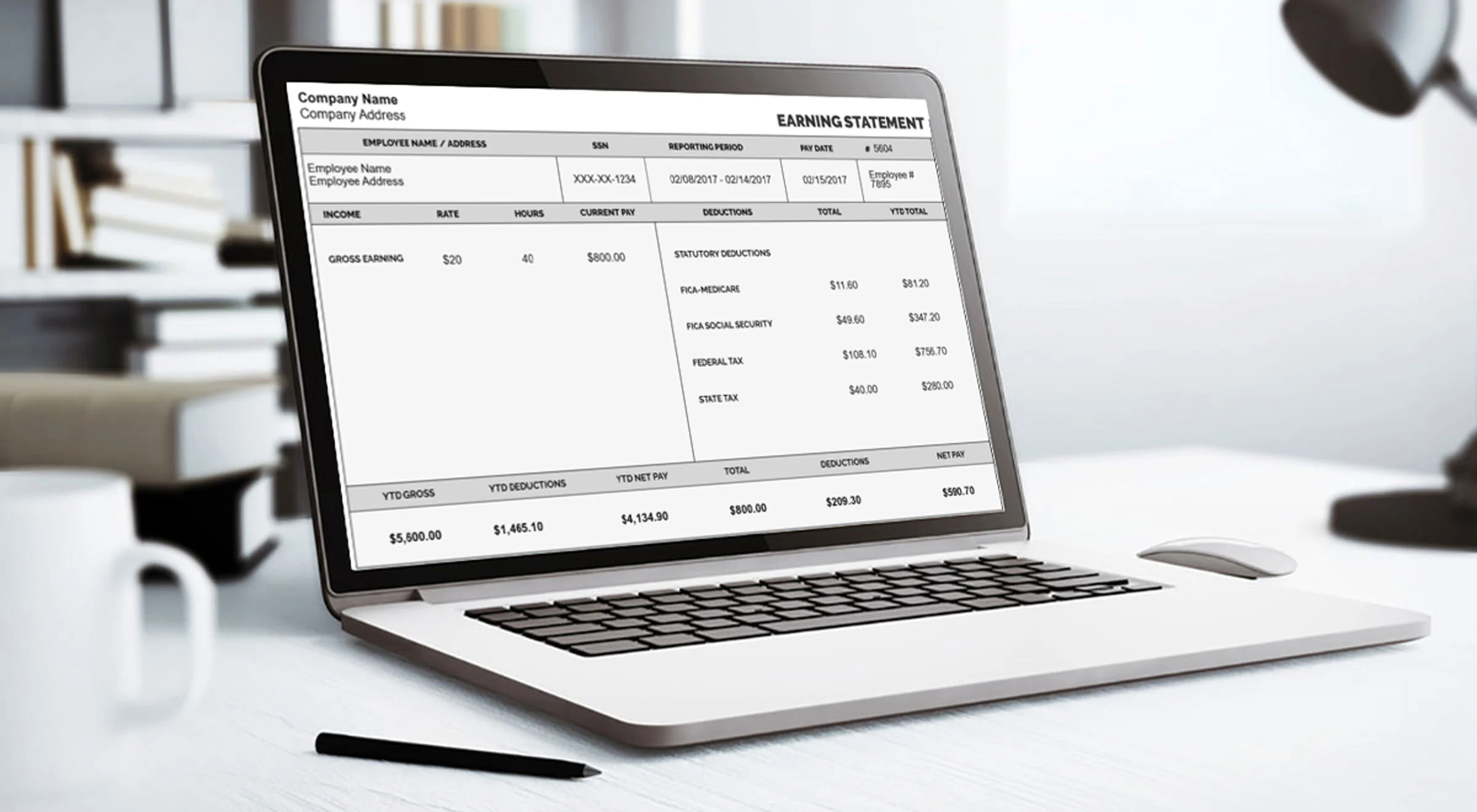
Most companies provide employees with online access to a free paystub generator via the payroll portal. Follow the steps:


  • Visit the Rollins Employee Portal: Open your web browser and select the official Rollins employee self-service portal. If you are not sure about the link, check with HR or visit the Rollins company website.
  • Log in with Your Credentials: Use your employee ID and password to open the portal. New users might need to be set up through registration before they can access the portal.
  • Locate the Payroll Section: After logging in, keep an eye on the Payroll section for the last pay stub.
  • Preview: A free paystub template helps you preview how your pay stub will look before creating the final version.
  • Download Your Pay Stub: It is possible to download the pay stub for your records, as it is provided in PDF format. If necessary, print a copy for your personal and documentation purposes.


Getting Pay Stubs Through the HR Department:


How can you request pay stubs from the HR department?


  • Visit the HR office: Go to the HR department’s office and request printed copies of your pay stubs.
  • Send an Email: Email the payroll department stating the pay period for which you need the pay stubs.
  • Call the HR Department: If you need your pay stubs urgently, you can call the HR department and get them as soon as possible.


Accessing Paystub Through Third-Party Payroll Providers:


  • Visit the Payroll Provider’s Website: Check with HR about the Rollins user’s usability.
  • Log in to the Account: Log in using your employee credentials.
  • Download Paystubs: Navigate to the paystubs section and download the required pay stubs.


Alternate Method to Monitor Paystubs


  • Using a Personal Paystub Organizer: Maintain a regular file of printed pay stubs. Store a digital copy of your pay stub in a secure location on your computer.
  • Mobile Access: If the Rollins payroll portal has a mobile application, download the pay stub for easy access. 
  • Setting up Direct Deposit: If you receive payments through direct deposit, then you should set up an email address to track the salary deposits and other information.


Disclaimer: StubCreator is not affiliated with Rollins or its Associates. Rollins brands or logos are trademarked or registered trademarks. The article general guidance for Rollins paystub access. Refer to Rollins‘s official resources and consult HR for specific details. A reliable paystub creator helps businesses and freelancers quickly create professional paystubs with accurate earnings, deductions, and tax details.


Key Takeaways

Another way of looking at it, having easy access to Rollins’ pay stubs is indispensable; this would include financial planning, tax filing, and also verifying your earnings. Any of those methods work; with online access via HR or a payroll provider and this guide, you can easily acquire your Rollins pay stubs.


Also Read:

How to Get a Walmart Paystub?

How To Get AAON Paystubs?

How To Get Yates Paystubs?

Modern Lavender Paystub Sample Template

ADP Paystub


FAQ's

How can I access my Rollins paystubs online?

+

Log in to the Rollins employee portal using your provided login credentials.

What if I've forgotten my login information for the Rollins portal?

+

You can typically reset your password through the portal or contact HR for assistance.

When are Rollins paystubs typically available for viewing?

+

Paystubs are generally accessible shortly after each pay period, which is typically on a bi-weekly basis.

Can I request physical copies of Rollins paystubs if needed?

+

Contact your HR department to inquire about obtaining paper copies in special cases.

Pathik Sopariwala

Pathik Sopariwala

Payroll Specialist

A technology and business leader with extensive knowledge of accounting, finance, payroll systems, and paystub workflows. Pathik focuses on building reliable digital solutions that simplify payroll documentation.

Generate custom paystubs for free - Get going!

Financial management made easier – our free paystub creator empowers you to craft detailed paystubs at no cost whatsoever. Create Free Paystub

Related Blogs

Labor Laws In Maryland 2026

Labor Laws In Maryland 2026

Oct 16, 2025

Labor laws in Maryland are needed in order to ensure a just…

Labor Laws In Maryland 2026

Iliyaskhan Pathan Oct 16, 2025

Labor laws in Maryland are needed in order to ensure a just…

Delaware Labor Laws 2025

Delaware Labor Laws 2025

Oct 17, 2025

To protect employees from discrimination and dangerous working conditions—and to protect employers…

Delaware Labor Laws 2025

Iliyaskhan Pathan Oct 17, 2025

To protect employees from discrimination and dangerous working conditions—and to protect employers…

How To Get Wendy’s Paystubs? Step-by-Step Guide

How To Get Wendy’s Paystubs? Step-by-Step Guide

Oct 29, 2023

Employees who need access to Wendy's Paystubs work for a company with…

How To Get Wendy’s Paystubs? Step-by-Step Guide

Pathik Sopariwala Oct 29, 2023

Employees who need access to Wendy's Paystubs work for a company with…

Create Your Professional Paystub Online and Download It in Just a Few Clicks. Accurate state tax calculations for all 50 states — no spreadsheets needed.
Earnings Statement Preview
Create Free Paystub
Secure Payment Via:
all payment methods
Satisfaction Guarantee
Secure Ordering
Money Back Guarantee
Compliant Layouts
2026 IRS & SSA Compliant Layouts

Updated with the OBBBA

About StubCreator®

StubCreator is an online paystub generator tool to create accurate, detailed pay stubs easily without requiring a payroll system. This tool is specifically designed to meet the unique needs of employees, independent contractors, and any other type of business. It provides accurate calculations of federal and state taxes in all 50 states, allowing users to produce compliant paystubs.

Quick Links
  • About Us
  • Terms & Conditions
  • Privacy Policy
  • Refund Policy
  • FAQs
  • Blog
  • Pricing
  • Reviews
  • Contact Us
Paycheck Stubs
  • Paystub Generator
  • Advanced Paystub
  • Canada Paystub
  • Custom Paystub
  • Pay Stub Templates
  • My Paystubs
  • Hourly Paycheck Calculator
Get In Touch

5900 Balcones Drive, Suite 100
Austin, TX 78731.
+1 469 572 2636

4.8 / 5
Based on 774 reviews

Follow Us

© 2026 STUBCREATOR.COM, Webbygenius Infotech LLC

Sign In to Stubcreator

Forgot password? Reset
Don't have an account? Sign Up

Sign Up to Stubcreator

Check your email you can get the password, if you have already password then enter password and sign in to stubcreator account.
Already have an account? Sign In
🎁 ×
×

Claim Your
1st FREE
Paystub of 2026

  • No Sign-Up
  • No Credit Card
  • Instant Delivery
Grab This Offer