.png)


 Chat with us now!
 Send Email!


If you’re a former associate of Walmart Inc., getting a Walmart W-2 as a former employee might feel more complicated than it should.
Every year, millions of employees and former employees across the USA depend on their W2 form in order to properly file taxes. However, if you leave working at a company (a big one like Walmart), you no longer have direct access to the employee portal to access such documents.
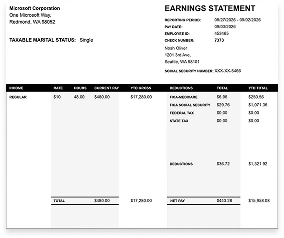
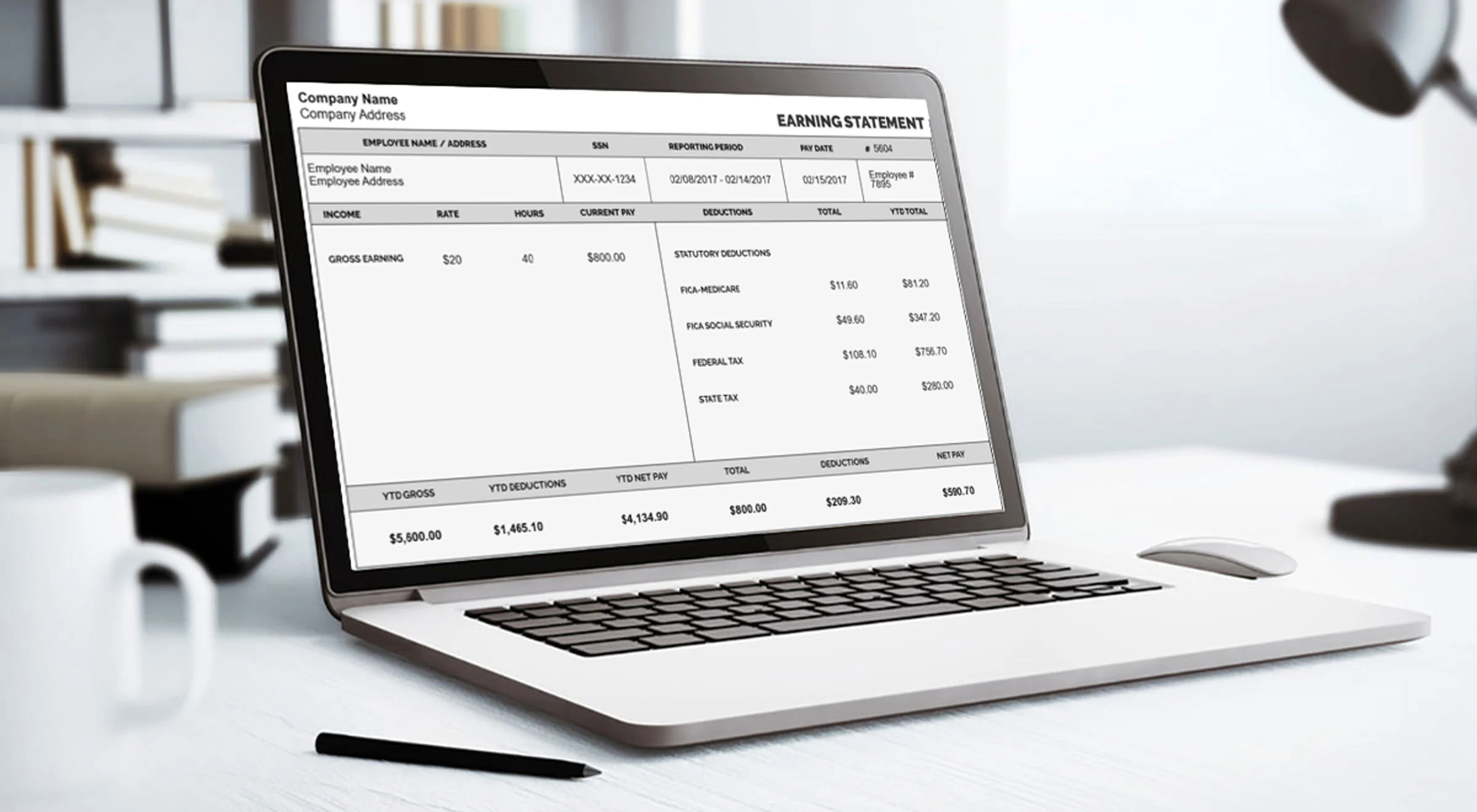
The Walmart online portal enables current employees to instantly obtain their W-2. However, former employees need to follow other procedures to obtain their Walmart W2 2026. Every year during the tax season, this creates a lot of confusion among former employees because they do not know how to go about getting their W-2. To obtain your W-2 along with your pay stub, use the pay stub generator.
The 2026 tax season has already begun, and you may be in a hurry to get your W-2 to file on time. Read on if you’re a former employee looking to access your W-2 forms quickly and efficiently — whether you left Walmart last month or years ago. By the end, you will know precisely how to retrieve your document and make sure that your tax-filing process continues without additional delays.
Key Takeaways
- Walmart must deliver your W2 form to you no later than January 31 every year. As a previous employee, you can get your W-2 through your account with OneWalmart.com or from MyTaxForm.com (W-2 Express) using the employer code 10108.
- If both websites fail, please call 1-800-WALMART (1-800-925-6278) for assistance. The IRS Get Transcript feature is a good alternative, as well as Form 4852, which substitutes for the missing W-2.
- Finally, keep in mind to save a copy of each W-2 for future purposes.
What Is a Walmart W2?
A W-2 form is an official tax document that employers must provide to their employees each year. If you were an employee of Walmart Inc., your W-2 Walmart form summarizes, in one tidy document, your total earnings and the amount of taxes withheld from your paychecks for the previous calendar year.
It provides critical information regarding your earnings, such as your gross pay and the amounts withheld for federal income tax, state income tax, Social Security, and Medicare.
One Walmart W2 also contains Walmart’s Employer Identification Number (EIN) that the IRS uses to help tie your reported income with records provided by your employer.
Because the form shows the income that you earned from previous tax earnings, it is one of the most important documents to have when preparing your federal and state tax returns.
Employers are also obligated to issue W-2 forms by Jan.31 each year. Having your W-2 in hand before the tax-filing deadline — typically April 15 — reduces your last-moment stress and potential mistakes. If the figures on your tax return do not match those that the IRS has on file from your employer, it can cause delays, penalties, or further scrutiny.
How To Read Your Walmart W-2 (Box by Box)
If you acquire the form, it would be beneficial for you to know what every box means before inputting numbers on your tax forms. The parts that tend to confuse previous Walmart workers include:
- Box 1 (Wages, tips, and other compensation): the amount of money you must pay taxes on when filing your federal tax return.
- Box 2 (Federal income tax): it is the federal income tax withheld from your salary by Walmart.
- Box 3 and 4 (FICA wages and tax): this is the part of income that is used to calculate how much money you earned and how much you gave to Social Security.
- Box 5 and 6 (Medicare wages and tax): same thing as above but for Medicare.
- Box 12 (code numbers): the total of your retirement contributions (for example, 401(k)) listed along with letters.
- Boxes 15 through 17 (state details): state identification number, state wages, and state tax amount.
- Boxes b and c (employer details): Walmart’s EIN, name, and address if you want to import Walmart’s details from W2.
If there is any indication of inconsistency, the number must be verified with respect to your final pay stub in the year before filing the tax.
When Does Walmart Send Out W2 Forms?
Similar to any other employer, Walmart has to follow the federal rule that requires the issuance of W-2 forms by January 31. In the real world, you can expect the electronic copy to show up in OneWalmart in mid-January, while the paper copy sent by USPS will arrive at your address about a week or two after the time limit.
In this regard, associates who prefer to receive their W-2 copies by mail will get them at the beginning of February. However, if they do not receive any documents by mid-February, they should do the following:
- Firstly, they need to check OneWalmart and MyTaxForm.com because the digital copy usually becomes available before the paper one.
- Secondly, it is necessary to verify whether Walmart has the correct address to mail the document.
- Thirdly, associates should contact the payroll department at Walmart and ask for the duplicate.
- In case this does not work, they have to get in touch with the IRS by calling 800-829-1040.
How To Get W2 from Walmart Quickly and Easily?
If you’re wondering how to get a W-2 from Walmart online, there are several methods available for both current and former employees.
Each system has different login requirements. Some portals require your Walmart Identification Number (WIN), while others only ask for your Social Security number and date of birth.
Below are the most common ways to access your Walmart W-2 quickly and securely.
1. By using OneWalmart (one.walmart.com)
This is the best and fastest way to access your OneWalmart W-2 Online by using the Employee Portal at Walmart Inc.
To retrieve your form:
- Visit the OneWalmart portal
- Enter your Walmart identification number (WIN), Social Security number, and date of birth.
- Go to the “W-2 Former Associates” section
If your login credentials no longer work, attempt to reset your password. Some ex-employees will need to contact Walmart HR to activate their account prior to viewing their tax docs.
2. By Using MyTaxForm.com (W-2 Express)
If you are thinking, ” How do I get a Walmart W2 other than the employee portal, then MyTaxForm .com is another trustworthy option.
To retrieve your W-2:
- Visit MyTaxForm.com
- Enter Walmart’s employer code 10108
- Enter your Social Security number and date of birth
- Follow the prompts to get your tax document
This is a good option if you are a former employee and cannot access your W-2 through the OneWalmart portal.
3. Contact Walmart HR or Payroll
If the online options aren’t working to get a Walmart One W2, you should call Walmart’s H.R. or payroll department for help.
Dial 1-800-WALMART (1-800-925-6278) and get the automated menu.
You may need to provide:
- Your Social Security number
- Your date of birth
- The Walmart store you worked at before
HR personnel can assist in restoring online access or mailing you a replacement copy of your W-2.
4. Import Your W-2 Through Tax Software
Many tax products will let you pull in your W-2 information directly when you file.
Many tax software programs, or W2 form generators, can easily generate W2 forms. This option is particularly useful if your physical copy is delayed or lost.
5. Use the IRS “Get Transcript” Tool
If you still can’t get your Walmart previous employee w2, you can order a wage and income transcript from the Internal Revenue Service.
The wage data Walmart provided to the government is reflected in the IRS Get Transcript tool.
If you can’t get your W-2 at all, you can file your taxes with IRS Form 4852, which serves as a substitute for the original document.
The transcript can be accessed online as soon as one has verified the identity. Alternatively, the transcript can be sent via mail within a week or so. Keep in mind that the employer may take time to file the taxes for the previous fiscal year.
Common Problems When Accessing Your Walmart W2 Former Employee Form
Former employees sometimes struggle to access their Walmart W2 form online. It can be anything from a login problem to a lost document or wrong information, but these problems are commonplace, and they can generally be sorted out quickly, provided you know what steps to take.
Common problems with getting your W-2 from Walmart Inc.
1. Incorrect Information on the W-2
Sometimes a W-2 may contain incorrect details, such as:
- Incorrect Social Security numbers
- Misspelled names
- Wrong wage or tax amounts
If you notice an error, contact Walmart’s payroll or HR department immediately so they can issue a corrected W-2. It’s also a good idea to keep a written record of your request for reference.
2. Lost W-2 Form
Employees often lose their Walmart W2 2026 paper copy. Luckily, replacing it is not too difficult.
Former employees can:
- The Walmart W-2 portal allows you to download or print the form
- Request a replacement copy online
- Have the new copy mailed by contacting Walmart HR
To avoid this problem in the future, consider keeping a digital version of your W-2.
3. Login or Account Problems
One of the most frequent complaints is in relation to difficulties logging onto systems after leaving. These issues could be due to:
- Forgotten passwords
- Locked accounts
- Expired or inactive credentials
It is advisable to initiate with the password reset feature on the portal. If you still have trouble accessing your account, reach out to Walmart’s HR Service Center for help.
4. Delayed or Missing W-2
If your Walmart W-2 has not shown up by early February, do not wait until April. Start by checking that the address Walmart has on file is correct, then look for the electronic copy on OneWalmart and MyTaxForm.com. Postal delays and electronic delivery glitches both happen, so a missing form does not always mean something is wrong with your records. If you still have nothing by mid-February, contact Walmart payroll and then the IRS at 800-829-1040.
5. Address Changes After You Leave
If you relocated after departing from Walmart, your W-2 form may have been sent to your previous address. This is a frequent reason why many ex-employees don’t receive their forms. Contact HR to update your address, and request to have them send you the form. If you’re still awaiting a new one, the electronic portals are generally a faster way to obtain the information.
Last Option if You Can’t Get Your W-2
If you can’t generate your W-2 with Walmart or through portals to W-2, you can contact the Internal Revenue Service for help. The IRS offers a Wage and Income Transcript that summarizes the information your employer submitted.
What To Do If You Can’t Get Your Walmart W-2
To avoid holdups, you can get the W-2 directly from Walmart Inc.
One way to do that is by requesting a Wage and Income Transcript from the Internal Revenue Service. This transcript contains wage and tax information reported to Walmart, which may assist you in accurately completing your Form 1040.
Filing your taxes with IRS Form 4852 is another option you have, and it acts as a substitute for your missing W-2. You can use your most recent pay stub or payroll records made with the professional paystub template to approximate your wages and the amount of taxes that have been withheld to fill out the form.
Tips for Managing Your W-2
Organizing your tax documents in advance can streamline the filing process and reduce headaches down the line.
I) Keep digital copies of your tax records.
Your W-2 information may be required either as proof of earnings, for the purpose of applying for loans or mortgages, or to satisfy the requirements of the IRS in case you are audited. Make sure that you keep your W-2s in a secure location, so they are easy to access during tax season.
II) Change your address before departing from the job.
One of the most common reasons why ex-employees do not receive their Walmart W2 is that they have an obsolete address. Selecting electronic delivery, when offered, can also help avoid delays.
III) Review your W-2 information carefully.
Review your wages, tax withholdings, and the employer identification number before filing your tax return. If your W-2 is delayed near the filing deadline, you may request additional time by filing IRS Form 4868 for a tax-filing extension.
IV) Mark the key dates on your calendar.
Make a note in your calendar about January 31 (the date by which employers have to send form W-2s), about mid-February (the time to start worrying about any missing forms), and about April 15 (the last day for filing). Knowing these dates ahead of time can prevent a lot of late filing problems.
Final Thoughts
If you currently work for Walmart Inc. or if you’re a former employee with retirement accounts at the company, then planning can help to avoid any unnecessary tax issues. But one of the most critical steps is to ensure that you keep your contact information up to date with the company.
Keeping your financial documents organized also makes tax time a lot easier. W-2 forms and check stubs are crucial documents that serve as a basis for accurately reporting taxable income, validating income, and maintaining meticulous financial records.
So in the rare event that you find yourself needing income documentation quickly, use StubCreator or W-2 creator tools to give your employer clear and professional records in under an hour.
People May Also Ask
1) How do I get my W-2 from Walmart former employees?
If you’re a former employee, you can find your details in the OneWalmart or W-2 Express portal sign-in by entering the employer code 10108. You may also contact Walmart Inc. HR to request a mailed copy.
2) How do I get my W-2 from Walmart after being fired?
Even post-termination, Walmart still owes you your W-2. It is available through OneWalmart, W-2 Express, or a copy can be requested from hr.
3) How can I get my W-2 from Walmart if I haven’t gotten them?
Never take your first action of checking to see if your W-2 is available online by the OneWalmart or W-2 Express portal. If you still can’t track it down, get in touch with Walmart HR or reach out to the Internal Revenue Service for help.
4) Can Walmart employees get their W-2 online?
If you are Walmart employee, you can access your W-2 on the OneWalmart platform. Once logged in, they can access the form from the tax documents section and view it, download it or print it.
5) Can I look up my W-2 online?
Yes, a lot of employers do post W-2s in their payroll or employee portals. For Walmart, you can look up your W-2 through OneWalmart or the W-2 Express (MyTaxForm.com) system.
6)How do I get my pay stubs from Walmart after termination?
Ex-employees can check their pay stubs through the OneWalmart, assuming they have not deactivated their accounts. If not, they can contact Walmart HR to get copies.
7)How do I find my W-2 online?
You’ll find your W-2 by logging into your employer’s payroll or employee portal and going to the tax documents section. It is available to Walmart employees via OneWalmart or W-2 Express.
8)Can you access OneWalmart at home?
Yes, employees and certain active associates can use OneWalmart at home to access pay stubs and tax forms with their login information.
9)When can I expect my W-2 from Walmart?
Employers are required to file the W-2 forms by January 31 of each year. Most Walmart workers get them online or in the mail by early February.
7) When will my Walmart W-2 be available?
Employers must provide W-2s by January 31. Walmart’s electronic copies typically appear in mid-January, and mailed copies usually arrive by early February.
9) What is the Walmart payroll phone number?
Use the number 1-800-WALMART (1-800-925-6278) to be connected to a representative who can help you with W-2 requests in payroll department of Walmart.
10) What should I do if my Walmart W-2 has errors?
Call Walmart’s payroll department at the earliest opportunity. Tell them what the issue is such as the incorrect spelling of a name, Social Security number conversion or wage error. You must keep a copy of the call record for future reference. Walmart will issue properly formatted W-2c forms.
11) Can I file my taxes without my Walmart W-2?
Yes. If you have tried Walmart and the IRS and still have no form, you can file using Form 4852 as a substitute, based on your final pay stub. Just make sure you file before the deadline, or request an extension with Form 4868.
Also Read:
W9 vs W4: How These Tax Forms Differ and Why They Matter
FAQ's
How do I get my pay stubs from Walmart after termination?
+
Ex-employees can check their pay stubs through the OneWalmart, assuming they have not deactivated their accounts. If not, they can contact Walmart HR to get copies.
How do I find my W-2 online?
+
You’ll find your W-2 by logging into your employer’s payroll or employee portal and going to the tax documents section. It is available to Walmart employees via OneWalmart or W-2 Express.
Can you access OneWalmart at home?
+
Yes, employees and certain active associates can use OneWalmart at home to access pay stubs and tax forms with their login information.
When can I expect my W-2 from Walmart?
+
Employers are required to file the W-2 forms by January 31 of each year. Most Walmart workers get them online or in the mail by early February.