.png)


 Chat with us now!
 Send Email!


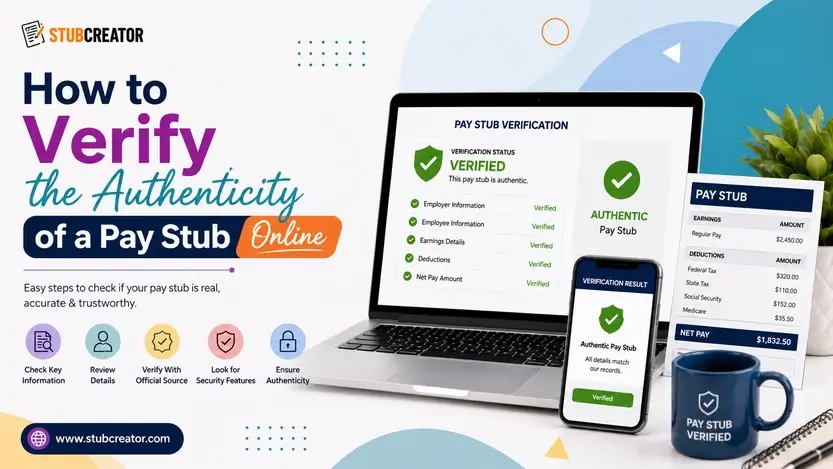
A pay stub gets passed around a lot: to a landlord, an HR department, a loan officer, and sometimes just to yourself when you’re double-checking your paycheck. Because so much depends on that one document, it’s also one of the easier things to fake.
Someone with basic editing software and a template can put together something that looks like a convincing paystub in about ten minutes.
If you’ve been handed a stub and something feels off, or you just want to be careful before approving a lease or a loan, here’s how to actually verify pay stubs before you trust them. For an easily verifiable paystub you need to opt for a reliable online pay stub generator tool.
Real vs Fake Pay Stubs: What to Look For Verification
One simple way to evaluate any piece of information is how it appears when creating a pay stub. Many are simply fake paystub made from templates, and they may look the same at a distance. But look a little deeper, and the differences become apparent:
- The math has to work- Gross pay minus taxes and deductions should equal net pay, to the penny. This is the most frequent area where fakes fall down; the net pay number has been altered, but the deductions to match have not.
- Real numbers aren’t round- if net pay equals a nice round number like $2,000.00 or the deductions land on neat, clean numbers, then look closely. Real payroll math is rarely that clean.
- Year-to-date totals – For YTD gross pay to increase approximately the same amount with each paycheck, it is still necessary to use the frequency with which the employee being paid is compensated. If it hops around in a way that can not be explained by weekly, biweekly or monthly pay, something has changed.
- Formatting drifts on fakes- fonts that don’t really match, columns not quite lined up, a logo that’s fuzzier than the rest of the page; these appear when someone edits a document in Word or Photoshop rather than generating it through proper payroll software.
- Employer details should hold up to a quick search- an actual business has a search-friendly address, an EIN format that corresponds to their stated tax ID number, and the name is what comes up when you look it up in many instances.
How to Spot a Fake Paystub Fast?
If you need more than a gut-check but less than a formal review, go through this:
- Add the total of the deductions and net pay in gross and check if it equals the net pay printed on the stub.
- Are the numbers suspiciously round?
- Check if the YTD totals for your employees are plausible given the pay period.
- Does anything appear weird about the design; different fonts, pixelated logo, misaligned spacing?
- When you search the name and address of the employer, does it check out?
If two or more of these trigger a flag, consider the stub as unverifiable until you can verify it in some other way.
Also Read: Tips on How to Spot Fake Pay Stub?
How to Verify the Authenticity of a Pay Stub Online, Step by Step
Not merely a glance, but for an appropriate check, the more info:
- Request the original file (not a photo, not a screenshot). Take screenshots, and those file details you might be able to check otherwise, cross-check all the details.
- Check the properties of the file; its creation and modification dates. Question on that: If the file is full of everything from months after the pay period.
- Do the math yourself instead of relying on the totals printed on the page.
- Before you process, always make sure YTD figures add up to the declared pay frequency throughout the year.
- Look up a number yourself and call the employer directly; not one printed on the paystub, because a fake stub can just as easily include a fake number.
- Request to have it corroborated with something else, a bank statement that shows the deposit, a W-2 or an employment letter signed by them.
If you have to deal with something where actual money is on the line, like a mortgage or a large lease, then it’s best to use an official income verification service rather than relying on your own read of the document.
Pay Stubs and Employment Verification
Typically, a pay stub is the quickest means of knowing someone works and approximately how much they are paid; however, by itself it does not always suffice for formal employment verification, particularly for larger decisions such as a mortgage.
Lenders and larger landlords tend to prefer one data point (a couple of recent stubs showing consistency, a signed letter from HR), whereas direct confirmation with the employer’s payroll department is usually preferred.
For employment verification purposes, the pay stub is best when supported by at least one other document; not trusted to stand alone.
Also Read: How To Get Proof of Income For Apartment?
How to Get Verified Check Stubs
Well, the simplest way to avoid all this back and forth is not to hand-edit the stub at all. That is how the problems above happen: enter a deduction, it is wrong, YTD totals do not update, so now your document looks fake even if the employment behind it is real.
StubCreator uses the same common sense rules as real payroll software to generate pay stubs with the ready-made pay stub template, resulting in gross-to-net math that is always correct, with Real-YTD totals carrying forward from pay period to pay period.
There are multiple situations in which individuals may require stubs: a company that distributes stubs to its employees, contractors requiring proof of income for their mortgage application, or someone who lost an old stub needing a clean substitute; this document outputs how a payroll-issued stub would appear with all calculations.
FAQs
1) How can I verify the authenticity of a paystub online?
Re-calculate the gross-to-net math, confirm year-to-date totals grow in alignment with stated pay frequency, examine file properties for last-creation date/time of file vs. detail report printout versus edit/finalization functions, and validate employer information separate from what is displayed on the pay stub itself. For anything high-stakes, confirm with the employer or a payroll verification service.
2) Are there online tools to help me calculate pay stubs for a month?
Yes. Pay stub generators such as StubCreator do the tax and deduction math automatically by factoring in income, pay frequency, and state so you aren’t manually calculating withholding.
3) How can I verify the number of pay stubs I need for 30 days?
So you need to check pay frequency. Weekly pay is approximately four stubs per month, biweekly two (sometimes three depending on the month), semi-monthly is always exactly two, and monthly one. Put your pay schedule next to the calendar to verify.
4) Are there free tools to generate pay stubs online?
Some have a free version, but most legitimate generators demand a small fee for each stub; that means they update tax tables regularly rather than simply using generic and stale figures.
5) What are the best websites to generate or find paystubs?
A good one will utilize current federal and state tax tables and allow you to customize your employer & employee details instead of simply filling in a blank form. StubCreator is built on getting the math right and not just getting the layout right.
6) Where can I find reliable information about pay stubs online?
You need to look for the IRS and your state’s labor department for withholding and payroll rules. For everyday guidance on reading, generating, or checking a stub, StubCreator’s blog covers it in plain language.
Also Read: What Information Should Be on Payroll Check Stubs?