.png)


 Chat with us now!
 Send Email!
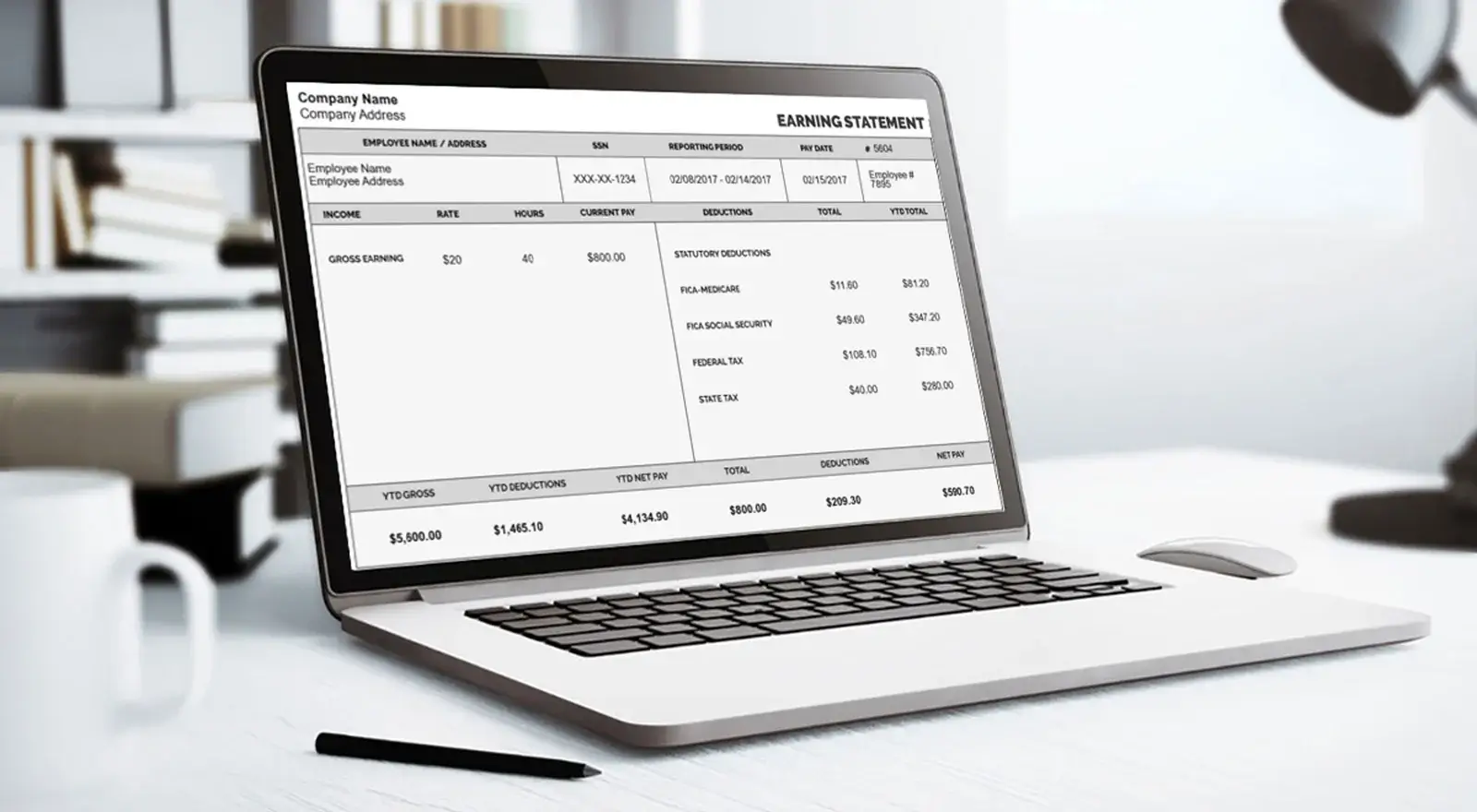
Invoicing is a necessity for running any business. It doesn’t matter whether it is a small business or a large corporation; at times, everyone needs to create clear, professional, accurate invoices. Many people believe that producing good-looking invoices requires expensive software or even the services of a professional. Good news: it’s entirely possible to do all this without spending one penny.
In this article, we’re going to discuss some free invoice-making tools and techniques to help ensure your cash flow isn’t derailed as your business goes out with the extra bill.
Why Professional Invoices Matter
Before we get into “how,” let us briefly talk about the “why.” Professional invoices are more than just a demand for payment; they communicate your business’s credibility and brand professionalism. A well-designed invoice can reinforce your brand’s identity and minimize any delay in receiving payments, as well as create a positive relationship with your clients. Bad invoices, on the other hand, may bring confusion and arguments, and worse, they may ruin the reputation of your business.
Free Tools for Creating Professional Invoices
The digital age has certainly provided loads of tools that make generating invoices easy, efficient, and, best of all, free.
Some of the most popular options are below:
Stubcreator’s Free Invoice Generator
StubCreator is known mostly for generating pay stubs, but it also has one of the most effective and user-friendly free invoice generators available. It was developed with the primary target being freelancers, small business owners, and anyone else who would need to create a professional-looking invoice without spending money on pricey software.
- Features: The Free Invoice Generator by Stubcreator provides numerous invoice templates for all categories of users. Users can input all of their business details and even include their own logo in the invoices. In addition, there is also a facility to quote charges for taxes and discounts for a particular amount.
- Ease of use: Experience with previous accounting software is not required. The simple interface ensures that any user can create a professional invoice quickly.
- Fast PDF Downloads and Sharing: Once the invoice has been prepared, Stubcreator allows you to download it in PDF format or send it straight to your client’s email account. This flexibility ensures that you can maintain effective communication and billing best practices.
- No Hidden Costs: Its name says it all: completely free to use. There will be no extra hidden charges. That makes it the perfect invoicing solution for small businesses and freelancers when they look for something that will cost as much as possible.
Google Docs and Google Sheets
Google Docs and Google Sheets are probably some of the freest tools for creating invoices. They provide templates that can easily be modified based on business needs.
- You can also use Google Docs to create very simple, text-based invoices. It’s easy to use and customizable using your brand colors, typefaces, and logo. This makes it perfect for freelancers or small businesses that only generate a few invoices per month.
- Google Sheets offers more flexibility and functionality for those who need calculations. Formulas for automatic computation of totals, taxes, and discounts lessen the chances of committing mistakes. Also, Google Sheets allows better record-keeping and tracking because it can be put in tabular form.
They are cloud-based, so you can get your invoices from anywhere, collaborate with other parties, and share easily with your customers.
Wave Accounting
Wave is a complete financial solution in itself. It contains a free invoicing tool that offers a variety of customizable invoice templates that look professional and graphical yet are ideally suited to one’s branding.
- Features: Wave will enable you to generate as many invoices as you want, set up recurring billing for repeat clients, and track payments. Moreover, the facility integrates your bank account, making reconciliation and financial management easier.
- Ease of Use: Wave’s interface is intuitive, so even a person without any background in accounting can successfully navigate and utilize it.
- Additional Benefits: You get the facility to automatically set reminders for your clients’ payments, increasing the chances that they will not make you wait till the last moment.
Free Invoice Generators That Will Revolutionize Your Workflow
PayPal Invoicing
While most people associate PayPal with payment processing, the company also offers a full-featured invoicing service. If you are already using PayPal to receive payments, this functionality can be extremely handy.
- Features: PayPal invoices come with a professional-looking invoice that you can email directly to clients. They support multiple currencies and languages, which makes them perfect for international clients.
- Ease of Integration: Because it’s linked directly to your PayPal account, customers can pay instantly the moment they get the invoice, which increases the speed of the payment cycle.
- No Hidden Fees: Invoicing and distribution of invoices are free. PayPal charges clients only its normal transaction fees whenever they make a payment.
Zoho Invoice
Zoho Invoice is another very robust invoicing application that provides a free version for businesses with basic needs.
- Features: The customizable templates and recurring invoicing, as well as multi-currency, time tracking, and very basic expense management.
- User Experience: Extremely simple and smooth navigation with very high-quality customer support.
- Scalability: Its free plan allows up to 1,000 invoices per year, so it would be a good fit for small businesses or freelancers.
Invoice Generator
Invoice Generator is a very basic, no-sign-up-required tool that allows one to make an invoice in a very easy and quick manner.
- Features: The tool provides some minimal options that allow for adding the company’s logo, setting due dates, and numbering the invoice.
- Flexibility: You can download it from there as a PDF or even directly send it from the page via email.
- Accessibility: The fact that no registration is required makes this suitable only when you need one-time invoicing services.
Tips for Creating Effective Invoices
With all these free tool armours ready for you, here are some tips to help make your invoices as efficient as possible:
Be Clear and Concise
Your invoice should clearly state all the necessary details:
- Your business name and contact information
- The client’s details
- The invoice date
- A unique invoice number
- A detailed list of services or products provided
- The total amount due
- The payment terms
Avoid unnecessary jargon or overly complicated language.
Highlight Payment Terms
On the invoice, include clear payment information. It should include the due date and any accepted methods of payment, as well as the late charges when the payment is made late.
Visible terms decrease the chances of delayed payments and maintain expectations among your clients.
Include a Personal Touch
A small thank-you note to the client for his business goes a long way in creating a good relationship. Personal touches can make your invoice different and fresh and leave a good impression.
Use Professional Design Elements
Even if you are using free tools, make sure your invoice is professional-looking. This means your logos are high quality, your fonts are consistent, and your layout is clean. An experienced designer speaks well of your business and can boost your brand’s image.
Automate When Possible
Always available to frequent customers for automated invoicing. You can automatically send recurring invoices. You will save time and never miss a billing with various tools such as Wave and Zoho Invoice that enable recurring invoices.
Conclusion
Invoices can be created without costing too much. The right free tools can be found, along with some strategic approaches to make professional, clear, and compelling invoices for customers who would increase business credibility in terms of prompt payments.
Whether you feel Google Docs is too simple, Wave or Zoho overwhelming, or PayPal too easy, there is a free solution to match all your needs. Try them out today and discover for yourself the benefits that low-cost invoicing brings to your business.
FAQ's
What are the best free tools for generating invoices?
+
Many free tools are available, including PayPal Invoicing, Wave, and Google Docs templates. These options allow you to create and send professional invoices at no cost.
Can I customize my invoices using free tools?
+
Yes, most free invoice generators offer customization options, including adding your logo, choosing different templates, and adjusting item descriptions and prices.
Are there any limitations to using free invoicing tools?
+
Free invoicing tools may have limitations such as fewer template options, limited features, or the inclusion of ads. However, they typically cover basic invoicing needs effectively.
Is it safe to use free invoicing tools for my business?
+
Generally, free invoicing tools are safe, but it’s important to choose reputable platforms that offer secure data handling. Always review their privacy policies and terms of use.