.png)


 Chat with us now!
 Send Email!


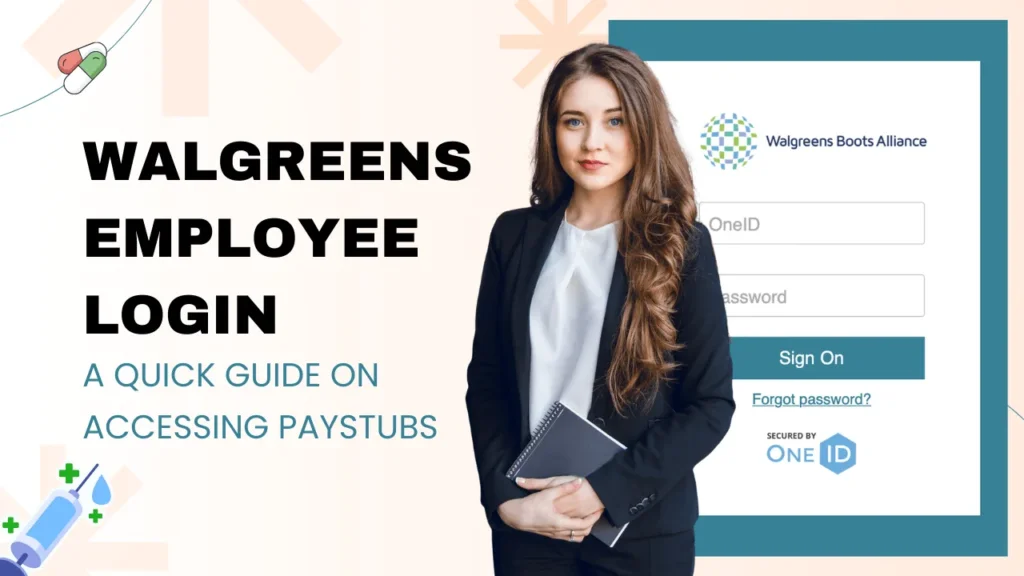
If you work at Walgreens, whether you’re a pharmacy technician, a store associate, a part-time team member, or a corporate employee, you’ll need to find your pay stub at some point. Maybe it’s tax season, maybe a landlord is asking for proof of income, or maybe you just want to make sure your deductions look right. Whatever the reason, knowing exactly where to go and what to do can save you a lot of time and stress.
This guide covers everything: how to do a Walgreens employee login as a current employee, how to access your pay stubs on mobile, how to read and understand your pay stub, what to do if you’re not getting it, and how former employees can still get their records. Let’s get into it.
Paystub generation becomes easy with a paystub creator tool if you want to create it for your own purpose or record-keeping.
What is Walgreens?
Walgreens is one of the largest U.S. retail pharmacy chains, operating in more than 8,700 locations as a subsidiary of Walgreens Boots Alliance.
Founded in 1901, it offers prescription drugs, health and wellness products, beauty items, photo services, and general retail goods. It is known for its community-based stores, online pharmacy, and 1-hour delivery options.
What is the Walgreens Employee Portal?
The Walgreens employee portal is the online hub where all payroll, HR, and benefits information lives. The main platform is called Walgreens People Central. If you’ve heard it called different things, you’re not alone. The system actually operates under three names that refer to the same platform.
WBA Worldwide is the umbrella name for the portal used across all Walgreens Boots Alliance employees globally.
People Central Walgreens is the main platform – HR and payroll portal. This is where your pay stubs, tax forms, and benefits information actually live.
Through the Walgreens people central portal, you can access your pay stubs, W-2 and W-4 tax forms, work schedules, benefits enrollment details, and direct deposit information. This applies regardless of your role, whether you’re in a retail pharmacy, a distribution center, or a corporate office.
How To Do a Walgreens Employee Login And Access Pay Stub
Accessing your Walgreens pay stubs as a current employee is straightforward once you know the correct path. Follow these steps:
- Open your browser and go to the Walgreens employee login portal- that is called the Walgreens store net portal.
- Select your work location from the dropdown menu.
- Enter your OneID and password in the fields provided.
- Once logged in, click About Me in the top navigation bar.
- Select Payroll from the dropdown that appears.
- Click Paychecks to see your full list of pay statements.
- Click on any pay period to view the full pay stub details.
- Use the download button to save a copy as a PDF.
How to Access Walgreens Pay Stubs via Mobile App?
Walgreens has its own mobile app, which can be accessed from playstore as well as app store.
- To access it on your phone, simply open Chrome and navigate to the Walgreens application.
- Log in with your ID and password. The interface will automatically adjust to your screen size. Click on About Me > Payroll > Paychecks, from there it is accessible via the mobile menu.
- Once you’re logged in on mobile on iPhone, tap the share icon and select add to Home Screen. On Android, tap the three-dot menu and choose add to Home Screen.
If you run into issues on mobile, try switching from your browser’s normal mode to incognito or private mode. This bypasses cached data that can sometimes interfere with the portal’s session management.
How to Read Your Walgreens Pay Stub?
Getting to your pay stub is one thing; understanding it is another. Many employees glance at the net pay figure and move on, but it’s worth knowing what each section actually means, especially when something doesn’t look right.
- Gross Pay: This is your total earnings before any deductions. It includes your base hourly rate or salary, plus any overtime, holiday pay, bonuses, or shift differentials. A standard pay stub template will clearly separate regular hours from overtime to ensure accurate payment.
- Net Pay: This is the amount that actually hits your bank account after all taxes and deductions have been taken out. It’s sometimes called take-home pay.
- YTD (Year-to-Date): These columns show your running totals for the calendar year, useful for confirming your annual earnings when filing taxes or applying for a loan.
Common deduction codes you’ll see on a Walgreens employee login paystub:
| Deduction Code | What It Means |
| FED TAX | Federal income tax withheld |
| STATE TAX | State income tax |
| FICA-SS | Social Security tax |
| FICA-MED | Medicare tax |
| MED/VIS/DEN | Health, dental, or vision insurance premium |
| 401K | 401(k) retirement contribution |
| FSA/HSA | Flexible or Health Savings Account contribution |
| GARNISH | Wage Garnishment |
How to Get Pay Stubs as a Former Walgreens Employee?
If you’ve left Walgreens, you still have access to the myWalgreens portal for 45 days after your official last day. During this window, log in using your existing OneID and download any pay stubs you need. It’s a good habit to do this immediately after leaving rather than waiting, because the 45-day clock starts from your termination date, not from when you first realize you need records.
Once the Walgreens people central login window closes, you’ll need to contact Walgreens HR directly. Here’s a full list of contact options:
- HR Department: 1-800-825-5467
- Former Employee Line: 1-866-967-5492
- Payroll Direct: 1-847-527-5370
- Email: w2taxing@walgreens.com
- In-person: Your former store location
When you call or email, have your full name, Social Security number, dates of employment, and specific pay periods you need ready. HR can typically fulfill these requests within a few business days, either by sending you physical copies or emailing digital copies.
How to Set Up Your Direct Deposit From Walgreens?
If you want to update your direct deposit information, whether you’re switching banks, adding a second account, or setting up a deposit for the first time, you can do this directly through the Store Net or Walgreens People Central.
- Log in and navigate to About Me, then select Payroll, and look for the direct deposit or banking information section. You’ll need your bank’s routing number and your account number, both of which appear on a personal check or in your banking app.
- Changes to direct deposit typically take one to two pay cycles to take effect. During that transition period, your pay may be issued as a paper check or deposited to your previous account.
Plan accordingly. If you’re in the middle of closing an old bank account, don’t close it until you’ve confirmed at least one successful payment to the new account.
If you run into trouble updating your information online, your store manager can escalate the request through the HR helpdesk, or you can call payroll directly at 1-847-527-5370.
Common Walgreens Payroll Issues and Solutions
Even when everything is set up correctly, login issues happen. Here’s how to handle the most common ones:
- Forgot your password: Click the Forgot Password link on the login screen. You’ll be sent a reset link to your registered email or prompted to answer security questions. If neither option works, contact your manager.
- Don’t know your OneID: Check your employee badge from Mywalgreens, original offer letter, or any email from Walgreens HR. Your store manager can also look it up for you.
- Account locked: Too many failed login attempts will lock the account. Call the HR department to have it unlocked.
- New employee profile not activated: New employees sometimes have a delay of a few days before their portal profile is fully active. Check with your manager if it’s been more than 3 business days since your start date.
- Portal won’t load or shows errors: Clear your browser cache and cookies first. If that doesn’t fix it, switch to incognito mode or try a different browser.
- Selected the wrong location in the dropdown: Close the tab and reopen the portal URL. The location dropdown must be set correctly before entering credentials.
- Worked at multiple locations: Your OneID is universal, but you may need to select the correct primary location from the dropdown. If pay stubs from a secondary location are missing, contact the HR department.
Key Takeaways
Getting your Walgreens pay stubs isn’t complicated once you know the system. Current employees can do the Walgreens employee login portal anytime from any device, navigate to People Central, and pull up any pay period they need in a few clicks. Former employees should make it a priority to download records within their 45-day window.
Beyond just accessing your check stubs, take a few minutes to actually read through them. Understanding your deductions, knowing your YTD figures, and keeping an eye on your tax withholding can save you from surprises at tax time and help you stay on top of your personal finances.
People May Ask
1) Why can’t I log in to Walgreens?
Ensure that there is no other account associated with the Walgreens.com account already signed in on your computer. Visit any page of Walgreens, click on Sign Out in the upper right corner, then sign in to your account.
2) What is Wconnect Walgreens?
W Connect is an information and communication platform from Walgreens that enables you to access and engage with company news and resources.
3) How to verify employment with Walgreens?
You can verify employment for a Walgreens employee through Truv.
Also Read:
How To Get Brinker International Pay Stub?
How Many Work Days In A Year 2026
FAQ's
How to get paystub from Walgreens?
+
Accessing the WBA Worldwide Employee Portal, contacting the HR department, and using an online pay stub generator are the three simplest ways to obtain pay stubs from Walgreens.
How many calls off do you get at Walgreens?
+
You get 4 to 5 call-offs a year at Walgreens.